Contents
Why the Transfer box shows less than your balanceA worked example: 100 USDT, and why only 25 can moveFour things that hold the money back, and what frees eachPortfolio Margin: there is no direct Futures → Spot buttonBefore you pull free funds out of a live tradeIf the Transfer box still shows 0: a checklistThis page starts where the money is blocked. If your transfer already works and you just want the clicks, the step-by-step guide to withdrawing profit covers that route.
Why the Transfer box shows less than your balance
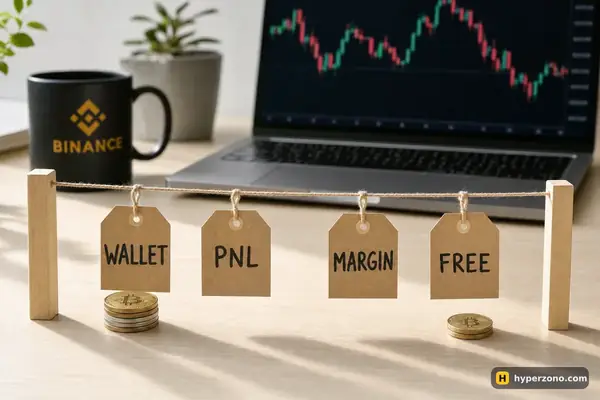
Look at your futures screen and you'll see two numbers. One is everything you put into the futures wallet. The other is what you can move out right now, and it is almost always smaller. On the futures screen you open your balances — Binance calls that block Assets — and tap Transfer; the amount the box will accept is the one marked as available, not your wallet balance.
Binance works that available number out roughly like this. Money your open trades are using as a deposit — your margin — is held. Money reserved for orders you placed that haven't filled yet is held too. If a cross-margin trade is losing at this moment, that paper loss is taken off as well. And anything the exchange gave you rather than you funding it, like a voucher or a campaign reward, is taken off on top. Binance's real calculation has a few more items in it, but these four are what moves the number for almost everyone. Everything that is subtracted is still yours — it is just promised to something, and it comes back the moment that something ends.
That is why the number on your screen can change while you are doing nothing. Price moves against a cross position, the paper loss grows, and the amount you can move out shrinks with it. Price comes back, and so does the free amount. If the two numbers on your screen confuse you, the page on wallet balance vs margin balance separates them, and the basics of what margin is explain why the exchange holds a deposit at all.
A worked example: 100 USDT, and why only 25 can move
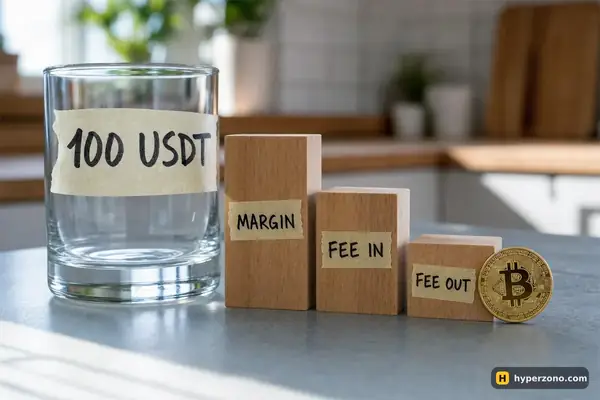
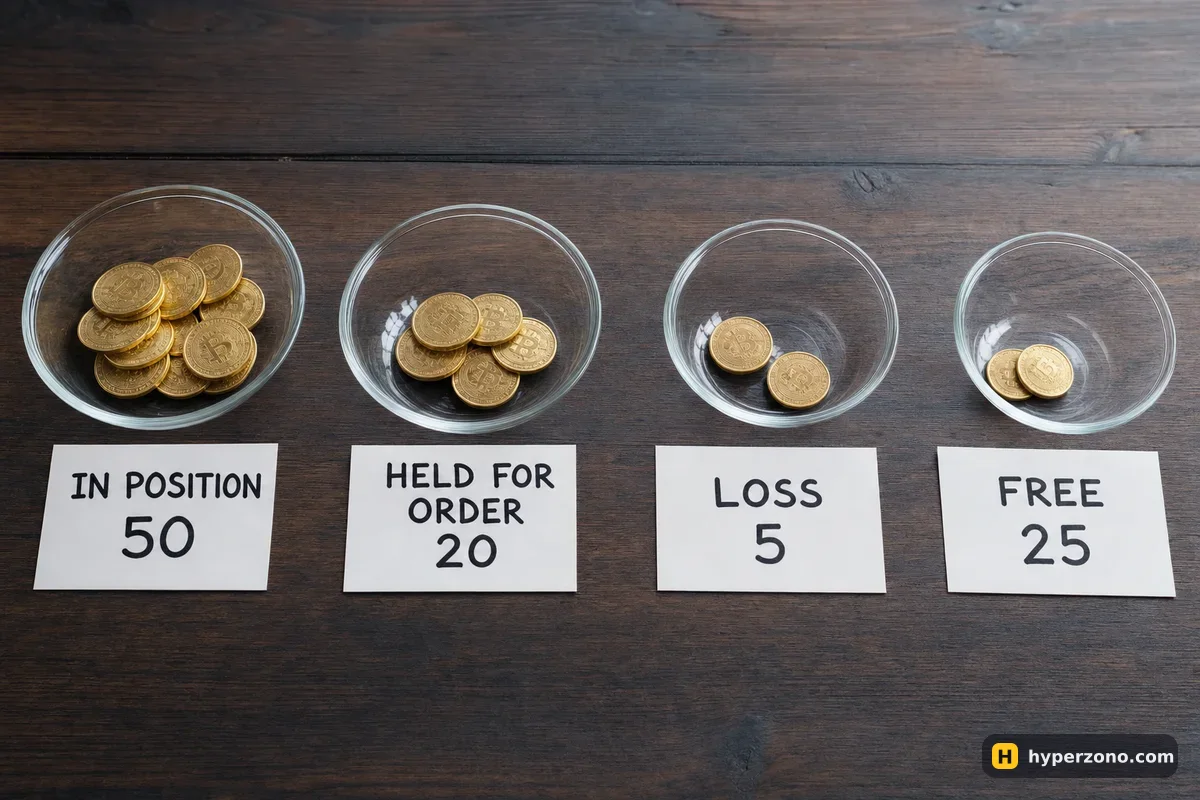
These numbers are illustrative — made up to show the arithmetic, not taken from a real account. Say your futures wallet holds 100 USDT. You opened a cross-margin long on bitcoin worth 500 USDT at 10x, so 50 USDT is sitting there as margin. The trade is 5 USDT in the red at the moment, on paper. You also left an unfilled limit order in the book that reserves another 20 USDT of margin.
| Line | Amount | What it is |
|---|---|---|
| Futures wallet balance | 100 USDT | Everything you transferred in |
| − margin in the open trade | 50 USDT | Comes back when you close the trade |
| − paper loss on that trade | 5 USDT | Comes back if price recovers; becomes real if you close |
| − margin reserved for the unfilled order | 20 USDT | Comes back the second you cancel the order |
| = free to transfer out | 25 USDT | What the Transfer box will accept |
Cancel the limit order and the free amount jumps to 45 USDT. Close the trade too and the 5 USDT loss becomes real, so about 95 USDT is left — minus the fees for opening and closing. On a 500 USDT trade at Binance's standard taker fee of 0.05% that's about 0.25 USDT each way, so roughly 94.5 USDT in the end. Nothing was ever taken from you; it was allocated. Watching the available amount rise as you cancel one order is the quickest way to believe this, and you can see it on a live screen as soon as you open a Binance Futures account.
Four things that hold the money back, and what frees each
Margin in an open trade is the most common one. The fix is in your hands: close the trade, or use partial close to cut it in half and free half the margin while keeping the idea alive. A smaller position needs less margin, so you don't have to choose between your trade and your transfer.
A paper loss on cross positions counts against you before you close anything. This surprises people: the trade is still open, nothing has been realised, yet the free amount has fallen. On cross margin the whole wallet stands behind every position, so a loss on screen reduces what the exchange will let you walk away with. With isolated margin the loss stays inside the margin you assigned to that one trade instead.
Unfilled orders quietly hold margin too — including take-profit or entry orders you set days ago and forgot. Open the Open Orders tab on the futures screen and cancel what you no longer need. This is usually the fastest way to free money, because there is no loss to accept and no trade to give up.
Gifted money is the fourth case. Binance subtracts a gift-money amount from what you can take out, which means a balance the exchange handed you is not the same as a balance you funded yourself. What you can do with it, and whether profit made on it can be moved, is set out in the terms of that specific promotion in the app — read them there rather than guessing, and our page on how futures welcome bonuses work explains the usual shape of such conditions.
Portfolio Margin: there is no direct Futures → Spot button
Portfolio Margin is something you have to switch on deliberately, so if you never did, you can skip this section. If you did switch it on, the transfer rules change completely. Money leaves only through your margin trading account — Binance calls it the Cross Margin Account, which is a different thing from the cross margin mode on your futures trade. A transfer straight from the USDⓈ-M or COIN-M futures account to Spot is not supported, and the two futures accounts can't send to each other either. To get money out you tap [Aggregate balances], which sweeps all positive futures balances into that margin trading account, and from there you transfer to Fiat and Spot. BNB in the USDⓈ-M account is the exception: it is not swept automatically, and you move it under Assets → Portfolio Margin → Transfer.
Before you pull free funds out of a live trade
Just because you can move 25 USDT out does not always mean you should. Your free balance is also the cushion that keeps a trade alive when price goes the wrong way. On cross margin that free balance is part of what backs the position, so moving it out brings the liquidation price closer to the current price — check it again right after the transfer. On isolated margin only the margin you assigned to that trade counts, so taking free funds out leaves its liquidation price where it was — unless you switched on auto-add margin, in which case the trade can still pull from your free balance. The page on how to find your liquidation price in advance shows where that number lives on screen.
There is also a rule that works in your favour. Binance automatically clears a futures account that has had no trading, no transfers, no positions and no open orders for 30 days while holding less than 1,000 USDT, and moves the funds to the Spot wallet by itself. To start trading again you simply transfer money back into futures. A forgotten small balance does not disappear into the futures wallet.
If the Transfer box still shows 0: a checklist
Check positions everywhere, not just the screen you are on
Copy trading runs in its own copy account, and a running bot holds a position and orders like any manual trade — stop the bot or end the copying first, then look again. And if the box shows nothing at all, check you are on the right futures screen: USDⓈ-M and COIN-M have separate wallets, and you have to be on the matching interface to move that one.
Cancel every order you don't need
Open Orders on each futures interface. Entry orders, take-profits left over from a closed trade, leftovers from a bot — each one can be reserving margin.
Look at your paper loss
On cross margin, a trade that is deep in the red lowers your free amount until price recovers or you close. Decide which of the two you want; don't just wait for the number to change on its own.
Check for gifted or promotional balance
If part of the balance came from a voucher or a campaign, open its terms in the app to see what it allows. A balance shown in something other than USDT is worth tapping too, to read what the exchange says about that asset.
Check which account mode you are in
Open the margin mode setting on the futures screen. Most people are on Single-Asset — only USDT backs your trades, and the rules above apply. Multi-Asset lets other coins back the trade, so the free amount also moves when those coins move. Portfolio Margin is the one with no direct Futures → Spot button: money leaves through the margin trading account with [Aggregate balances].
Then, and only then, contact Binance support
If everything above is clear and the amount still won't move, use the official support channel inside the app or on binance.com, and tell them what the Assets block shows: your wallet balance, the available amount, open positions and open orders.
Nobody outside the exchange can free a futures balance. If someone in a chat group offers to "release" your funds for a fee, or asks for your login, your codes or a deposit to a private wallet, it is theft. Only the exchange moves money inside the exchange, and every genuine fix is on this page or in Binance's own support.
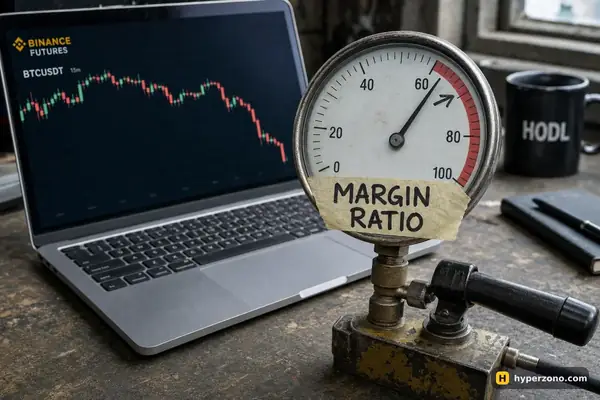
Once you have seen the free amount rise and fall with your own trades, the fear behind this question usually goes away. Other situations in this section — like a position that won't close or a margin ratio that keeps climbing — are collected in the troubleshooting index.
Why is my Binance futures available balance lower than my wallet balance?
Because part of the balance is already allocated. Margin in open trades, margin reserved for unfilled orders, any paper loss on cross positions and any gifted balance are all subtracted before the exchange tells you what you can move. Close trades and cancel orders and the two numbers come back together.
Can I transfer money out of futures while a position is open?
Yes, up to the free amount. On cross margin the free balance also protects your trade: taking it out brings liquidation closer, so check your liquidation price straight after the transfer. On isolated margin the trade keeps the margin you assigned to it, so its liquidation price doesn't move — unless auto-add margin is switched on, because then the trade can still pull from your free balance.
My futures balance shows 0 available but I have no open positions. What now?
Look for unfilled orders on both the USDⓈ-M and COIN-M interfaces, a running bot, a copy trading account with its own balance, or a promotional balance that cannot be moved. If all of those are clear, contact Binance support through the app and describe what the Assets block shows.
Does the exchange keep my money if I stop trading futures?
No. Binance automatically clears futures accounts with no trading, no transfers, no positions and no open orders for 30 days and under 1,000 USDT, and sends the funds to the Spot wallet. You can also transfer out yourself at any time once nothing is holding the balance.
Why can't I send money straight from futures to Spot in Portfolio Margin?
That mode doesn't support it. Funds leave the futures accounts only through your margin trading account, which Binance calls the Cross Margin Account — not the same thing as cross margin mode on a trade. You tap [Aggregate balances] to sweep the money there, then transfer to Fiat and Spot. BNB in the USDⓈ-M account has to be moved manually under Assets → Portfolio Margin → Transfer.
Sources and fact-check
Exchange terms were checked against official documents on November 2, 2026. Terms change — before you trade, check what matters to you in the exchange app and in your contract’s specs.
Binance Blog: 10 Most Frequently Asked Questions About Binance FuturesBinance FAQ: How to Transfer Funds to the Futures Wallet?Binance FAQ: Account Transfers, Auto Fund Functions, and Negative Balances in Binance Portfolio Margin