
Contents
The difference in one sentence eachThe same trade in both modesWhat each mode does to your liquidation priceWhen cross margin actually helpsWhere to switch it, and why it locksThe difference in one sentence each
Isolated margin means you set aside a fixed amount for one trade, and that is the most the exchange can take — as long as auto-add margin is off (more on that below). Cross margin means the whole free balance of your futures account stands behind every open position you have. Same contract, same leverage, same chart — the only difference is how much of your money can be taken if the trade goes wrong.
The money you set aside is called your margin, and if that word is still fuzzy, the short version lives on the margin page. Here we only care about one question: when the price goes the wrong way, what exactly can the exchange take from you?
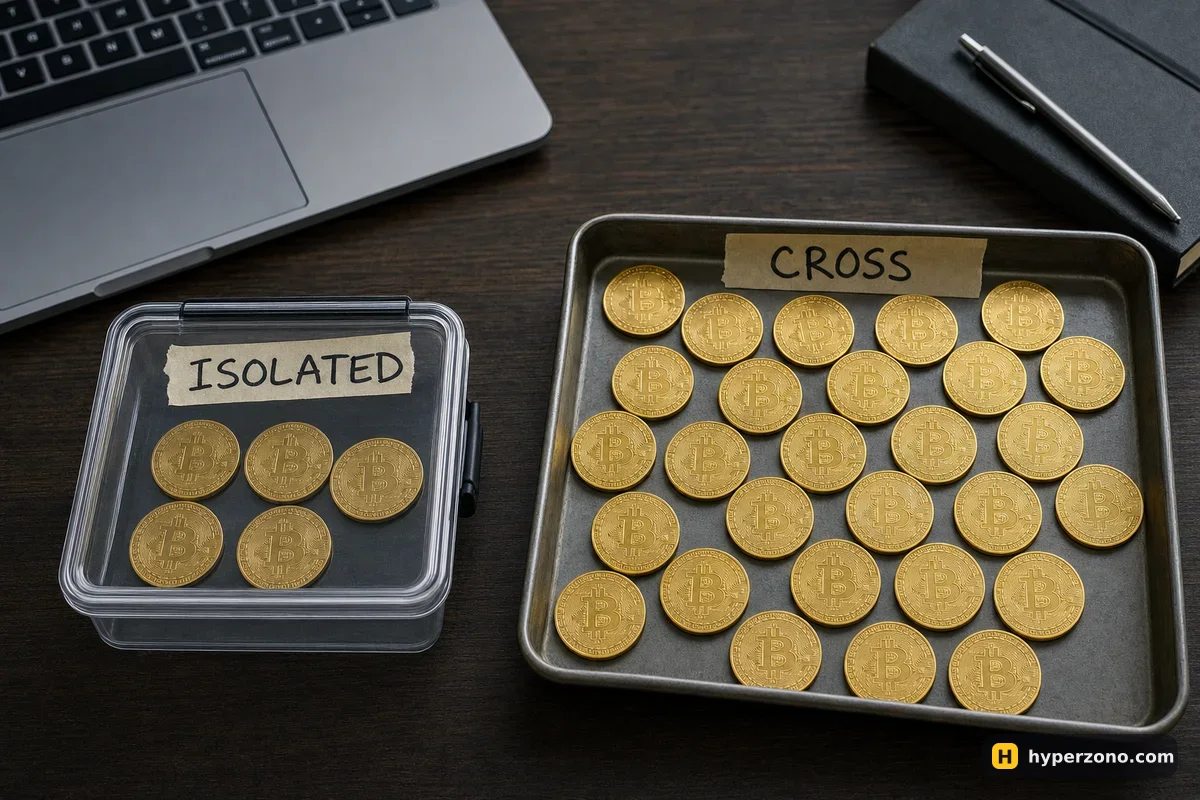
The same trade in both modes
Here are illustrative numbers. Say you have 100 USDT in your futures account and you open a long on bitcoin with 40 USDT of margin at 10x — a position worth 400 USDT. The price turns against you and drops about 10%, which is roughly 40 USDT of loss on a position that size.
In isolated mode your 40 USDT is gone at about that point — a bit earlier in practice, because fees come off too and the exchange closes the trade while a small amount of margin is still there. You have lost the 40 USDT you committed, and 60 USDT is still sitting in your account for another day. In cross mode nothing closes at 40 USDT of loss, because the other 60 USDT is holding the position up. The trade keeps breathing — and if bitcoin keeps falling, the loss keeps growing into that 60 USDT until there is nothing left to hold it. Whether an account can really go to zero is covered on can you lose your whole deposit.
| Isolated margin | Cross margin | |
|---|---|---|
| What backs the trade | Only the margin you assigned to it | Your whole free futures balance |
| Worst case on one trade | That margin | Everything on the futures account |
| Liquidation price | Closer to your entry | Further away, but far more money at stake |
What each mode does to your liquidation price
Liquidation is the moment the exchange closes your trade because the money behind it has run out. It is calculated on the mark price, a fair price the exchange works out from the wider market, not on one sudden spike on the chart that lasts a second. In isolated mode the only fuel is the margin you assigned, so the liquidation price sits nearer to your entry. In cross mode the fuel is your whole balance, so the price can travel much further before the trade dies.
That extra room sounds like protection, and it is the reason many traders talk themselves into cross. It is not protection — it is a bigger bill when the trade finally fails. A beginner is far better off with a loss that is capped in advance and a stop-loss placed where the idea stops making sense.
Check two settings before you tap Buy, not after. On Binance, new contracts open in cross margin by default, so if you never touch that setting, your whole balance is already standing behind the trade. The mode usually sits next to the leverage setting in the order window — open it once and look. One more setting can break the isolated cap: auto-add margin. If it is on, the exchange tops the trade up from your free balance when liquidation gets close, so open the position settings once and make sure it is off.
When cross margin actually helps
Cross is genuinely useful when you hold several positions at once and one is making money while the other is losing — the profit on one side holds the other side up. Some traders also use it to stop a position being closed by a brief spike while they manage it by hand. Both of those assume you are watching, and that you have already decided how much of the account you will let go.
For a first trade with a small amount, none of that applies. One position, isolated margin, modest leverage — that combination lets you learn how futures feel without a single bad night erasing the account. How much leverage to pair with it is a separate decision, and there is a whole page on choosing leverage for your first trade.
Where to switch it, and why it locks
Open the contract's order window
Pick the pair you want to trade — BTCUSDT, for example. Near the leverage figure you will see a small control showing Cross or Isolated.
Set it to Isolated and set your leverage
The screen will show how much margin a position of a given size will cost you. That number is your maximum loss on this trade, so pick it deliberately.
Check that auto-add margin is off
It lives in the position or margin settings for that contract. With it switched on, the exchange can pull extra money from your free balance to keep a losing trade alive, and the cap you just set stops being a cap.
Do it before anything is open
Exchanges generally will not let you flip the mode while a position or an open order exists on that contract, because the whole calculation behind it would change halfway through. If the control is greyed out, close or cancel first, then switch.
The quickest way to make this concrete is to look at a real order window with nothing in the trade yet. You can sign up on Bybit, open the panel for BTCUSDT, switch between the two modes, set the leverage and see how much margin each setting asks for — demo mode works for this too, with no money at stake. Before you commit real funds, check that futures are available where you live; the exchange shows this during sign-up.
Is isolated margin safer than cross margin?
For a single trade, yes — your loss is capped at the margin you assigned, and the rest of your balance stays out of it. That does not make it safe in general: you can still lose that margin in full, and quickly, if the leverage is high.
Can I switch from cross to isolated while a trade is open?
Usually not. The exchange normally locks the mode for a contract while you have a position or an open order on it, because the margin maths behind the trade would change halfway through. Set the mode before you open, and check in your exchange app how it behaves there.
Does isolated margin change how much profit I make?
No. Your profit comes from the price difference on the size of your position, not from the margin mode. The mode decides how much of your money is exposed and where liquidation sits, nothing else.
Why did the exchange take more than my position margin in isolated mode?
The usual reason is auto-add margin, which tops the position up from your free balance when it gets close to liquidation. If you want a hard cap on one trade, leave that switch off and check it in the position settings before you open.
Which mode should I use with a small account, like 50 USDT?
Isolated, with only part of that balance in the trade. Deciding the exact amount is its own skill — see how much to put into one trade and how much money you need to start.