Contents
What "managing a position" actually meansOpening: direction, amount, order typeProtecting the trade before you walk awayAdjusting and closing: you are allowed to change your mindWhere these buttons are on your exchange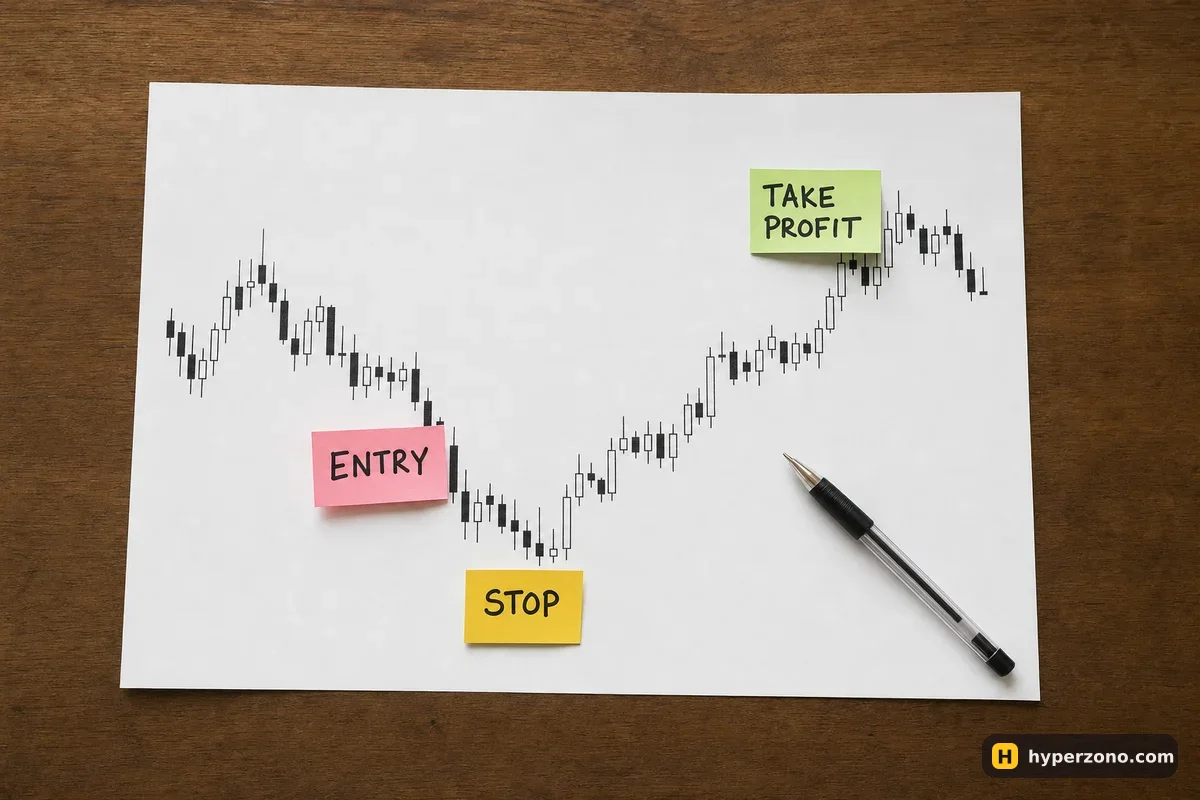
What "managing a position" actually means
A futures trade is not a single click. You choose a direction and an amount, you tell the exchange when to get you out if you are wrong and when to take the money if you are right, and later you either let those orders do their job or you step in and close early. The terminal is simply the screen where those instructions live.
This is the part beginners skip, and it costs them. Picking a good entry is only a small share of the result — what you do with the trade afterwards decides whether a wrong guess costs you a small, planned amount or your whole balance. Learn the handling first, and the rest of trading becomes much less frightening.
Opening: direction, amount, order type
You open a trade in one of two directions. If you think the price will go up, you buy — that is a long. If you think it will fall, you sell first — that is a short, and it works exactly the same way, just mirrored. Both sit in the same order window, usually as two coloured buttons.
Then you choose how the order enters the market. A market order fills right now at whatever price is available; a limit order waits for the price you named and may never fill at all. Which one suits your first trades is covered in market or limit order. Deciding *when* to enter and in which direction belongs to a different part of the site — start with choosing your approach for that. How much to put into one trade is the question that decides whether a bad day costs you five dollars or everything — work out your position size before you touch the amount field.
Protecting the trade before you walk away
The moment the position is open, the exchange is watching the price and you are not. That is what a stop loss is for: an order that closes the trade at a level you picked, so a bad move stops being your problem at a known cost. Setting a stop loss takes about ten seconds, and take profit does the opposite job — it closes you out in profit without you staring at the chart.
Most exchanges let you attach both at once, often right in the order window before you even enter. Doing it in one go is the habit worth building. Two details are worth knowing early: the choice between stop-market and stop-limit, and the honest answer to whether a stop loss guarantees your maximum loss — it usually works, but if the price jumps suddenly, with nothing trading in between, your stop can close you out at a worse price than the one you set.
Fund the trading wallet
Futures money normally sits in a separate wallet from your spot balance, so you move it across first. It is an internal transfer inside your own account.
Open the position
Pick the coin, pick long or short, set the amount and choose your leverage — the smaller the number, the more room the price has to move against you before you are in trouble. Then send the order. You will see the position appear in a list below the chart with your entry price and a running profit or loss.
Attach your exits
Add a stop loss and a take profit to that position. Now the trade has a floor and a ceiling, and you can put the phone down.
Close and take the money out
Either an order triggers, or you close it yourself. Profit lands back in the futures wallet, and from there you can send it to spot or withdraw it.
Adjusting and closing: you are allowed to change your mind
Nothing you set is permanent. You can drag a stop loss to a better level, move your take profit further away, or cancel both and close by hand at market. You can also close just part of the position — closing part of a trade lets you take some of the profit now and leave the rest running, which is easier than trying to guess the exact high.
One warning about adjusting: moving a stop loss further away because the price is going against you is the single most expensive habit in this business. Moving it closer to protect a profit is fine. Moving it away to "give the trade room" usually just makes the eventual loss bigger.
A perpetual contract has no end date, so you can hold it for minutes or for weeks, and how long you can hold is really a question of cost. Every few hours there is a funding payment between longs and shorts: sometimes you pay it, sometimes you receive it, and the costs section shows how that adds up over a long trade. Futures with an expiry date are different — they close on their own at the end of the term, whether you are watching or not.
Your stop keeps working when your phone does not. Orders live on the exchange's servers, not in your app. If your battery dies mid-trade, a stop loss you already set still triggers. A trade with no stop, left open while you sleep, is on its own — more on that in what happens if your phone dies.
Where these buttons are on your exchange
The ideas above are the same everywhere; only the layout changes. Two walkthroughs on this site show the real screens in order: trading futures on Bybit step by step and the same thing on Binance. Most readers do all of this from a phone, so there is also a page on trading futures from your phone, where the order window is stacked rather than side by side.
The fastest way to remember any of this is to have the screen open while you read. Demo mode works for that — you can sign up on Bybit, switch to demo trading and practise opening, attaching a stop and closing with no money at risk. Check during sign-up that futures are available where you live; availability differs by country and by exchange.
How do I manage a futures position without watching it all day?
Attach a stop loss and a take profit as soon as you open the trade. From that point the exchange handles both outcomes for you, whether you are asleep or at work. Checking in once or twice a day is enough for most beginner-sized trades.
Can I change my stop loss after the trade is open?
Yes, as many times as you like. Tap the position, edit the stop level and confirm. The useful version of this is moving the stop closer to protect gains once the trade is going your way — not pushing it further out because the price is going against you.
What is the difference between closing a position and cancelling an order?
An order that has not filled yet is just an instruction, and cancelling it costs you nothing. A position is already live, so closing it is a real trade in the opposite direction, with a fee on it and a profit or loss recorded.
Do I need a computer, or is the phone app enough?
The phone app does everything described here: open, stop loss, take profit, partial close, transfers. A bigger screen is more comfortable for reading charts, but nothing in position management requires it.
How much of my balance should one position use?
Far less than feels exciting. Decide the loss you can accept on the trade first, then let that number set the size — the position size page does the arithmetic with you. With a small account, trades of a few dollars of risk each are completely normal.
How long can I keep a futures position open?
On a perpetual contract there is no time limit — it stays open until you close it, or until your loss eats the money you set aside for the trade and the exchange closes it for you — that is called liquidation. What you carry while it is open is the funding payment every few hours, which you sometimes pay and sometimes receive. A contract with an expiry date closes itself on the settlement day.
My trade closed in profit but my balance went down — what now?
Usually it is fees and funding quietly eating part of the result, or a stop that filled at a slightly different price than the trigger. This page walks through exactly that case and shows you where the money went.