
Contents
First, open your history, not the chartMy trades closed in profit but my balance went downI was liquidated at a price I never saw on the chartMy stop loss did not trigger, or filled far away from where I set itMy bot shows profit but my account is downMy deposit has not arrived, or the money is in the wrong placeHow to stop this happening againFirst, open your history, not the chart
The chart cannot tell you what happened to your money. Your account keeps a record of every fill, every fee, every funding payment and every transfer between wallets, and that record is where the missing amount almost always turns up. Five minutes there usually answers the question faster than writing to support.
Open your order and trade history
Look at the price your order actually filled at and the exact time. It is often a little different from the price you tapped, and that alone explains many surprises.
Open the transaction or funding record
Here you see the entry fee, the exit fee and any funding payment charged or received while the position was open. These are separate lines, not part of your trade profit.
Check which wallet holds your money
Spot and futures are separate balances inside the same account. A deposit that 'disappeared' is very often simply sitting in the other one.
Write down the order ID
If something still looks wrong after all that, take a screenshot with the order ID visible before you close anything. Support will ask for it.
My trades closed in profit but my balance went down
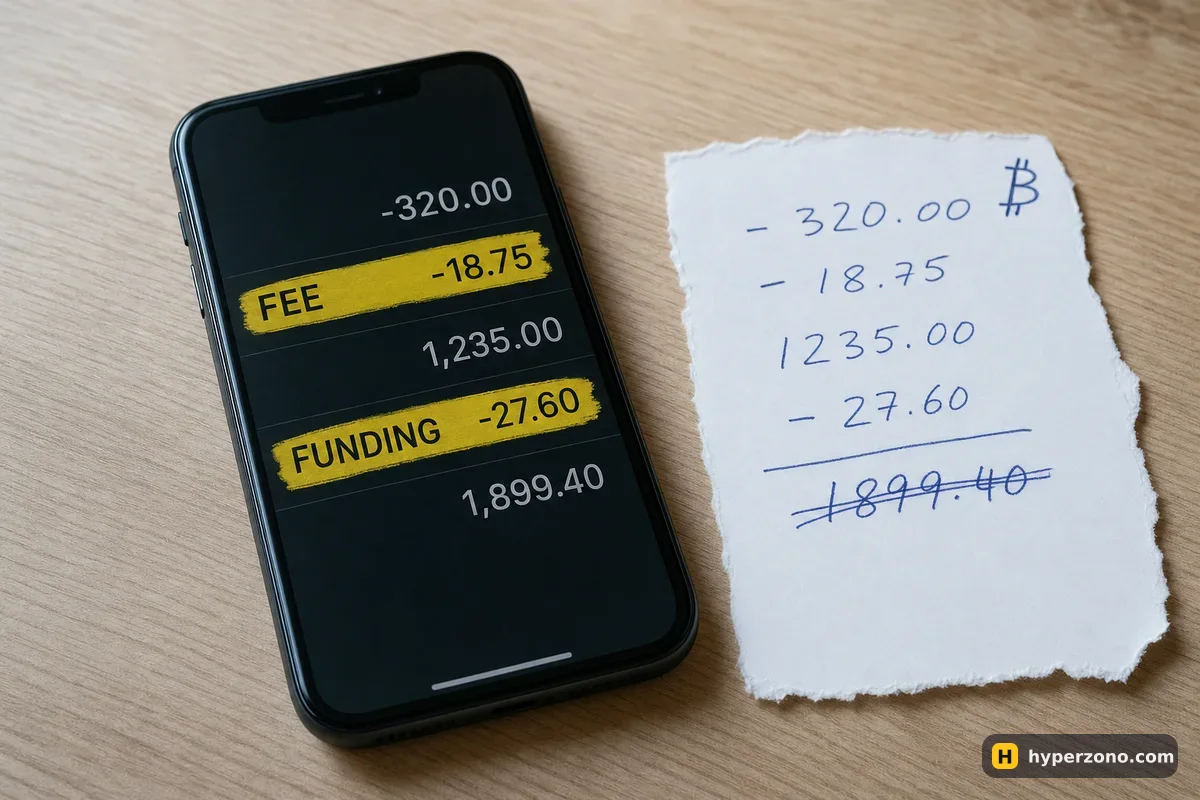
You closed two small winners and the number at the top of the screen is lower than before you started. The cause is almost always cost, not a mistake by the exchange: you pay a fee when you open and again when you close, you pay or receive funding if you held the position through a settlement moment, and the price you got may be slightly worse than the price you saw. On Binance the base taker fee is 0.05%, so on a 500 USDT position that is 25 cents — nothing on one trade, but you pay it twice, opening and closing, so ten trades in a day is 5 USDT gone before you count anything else.
If you want to see the numbers added up line by line, that is what my trades closed in profit but my balance went down does. The practical fix is simpler than the arithmetic: trade less often and give each trade a bigger target than the fees you pay to get in and out.
I was liquidated at a price I never saw on the chart
This one feels unfair, and it has a plain explanation. The candles you watch usually show the last traded price on that exchange, but your liquidation is calculated from the mark price — a fairer price built from several exchanges, so one sudden price spike on a single exchange cannot close everybody's trades. So the chart can show a low of 61,200 while the mark price never went below 61,350, or the other way around, and why a contract shows several prices goes through where each one comes from.
The other half of the answer is that the liquidation price in the order window is an estimate, not a fixed line. It changes if you add margin to the position, if you add to the position itself, and as fees and funding slowly eat into the money set aside for it. On cross margin it also moves when your other trades lose money, because all of them share one balance. Before you open the next trade, look at that number and ask yourself whether an ordinary day's move could reach it — how to find your liquidation price in advance shows where it lives.
My stop loss did not trigger, or filled far away from where I set it
A stop order has two prices, and beginners usually only think about one. The trigger price is where the exchange wakes the order up; the execution price is wherever the market actually is at that moment. A stop-market order fills at the next available price, which in a fast drop can be noticeably worse than your trigger, and a stop-limit order can sit there unfilled while price runs past it.
In the order window you can also choose which price your stop watches: the last traded price or the mark price. The choice changes the moment your stop triggers — mark price ignores one sudden spike in price, last price does not. The easiest way to see both settings is to look at the order window yourself; if you are still choosing a venue you can sign up on Bybit and try it in demo mode first. If you want your stop to fill for sure, use a stop-market and accept a slightly worse price — the difference between the two is explained in stop-market or stop-limit.
My bot shows profit but my account is down
A grid bot proudly displays its grid profit, and that number only counts the little cycles it has already closed. It does not include the open position the bot is still holding, the fees on every one of those small orders, or the funding paid while the position stayed open. If price trended away from your range, the bot can be "winning" on paper while your balance quietly falls.
Which numbers you have to add together to get the real result is shown in my grid bot shows profit but my total is negative. Until that total makes sense to you, leave the bot stopped rather than restarting it with a wider range.
My deposit has not arrived, or the money is in the wrong place
The most common version of this is not a lost deposit at all: the money landed in your spot wallet, the futures wallet still shows zero, and the order window tells you there is not enough balance. Moving it across is an internal transfer inside your own account, explained in how to move money to the futures account. If the deposit itself has not shown up, check the deposit record in the app — a transfer from another wallet may still be confirming on the network, or may have been sent on a network the exchange does not credit for that coin.
Do not open a new trade to fix an old one. When something looks wrong, the instinct is to trade your way back. Close the screen, find the line in your history that explains the number, and only then decide. Nothing in your account expires in the next ten minutes.
How to stop this happening again
Most of these surprises stop happening once your position is small enough that one bad fill does not matter — how to work out how much to put into one trade shows the arithmetic, and it takes about a minute per trade.
And if the trade that confused you was your first one, that is normal. Almost every trader has stared at a balance that did not match their arithmetic. Reading the history until it makes sense is the skill that turns a confusing loss into a cheap lesson.
Why did my futures trade go wrong when the chart looked fine?
Because the chart is only one of the prices in play. Your fills happen at whatever the market offers at that second, your liquidation is measured on the mark price, and your fees and funding are charged separately from the trade result. The history tab reconciles all of it.
Did the exchange take my money?
Fees and funding show up as separate lines, so you can check exactly what was charged and when. Funding is not even kept by the exchange — it is a payment between traders holding long and short positions. If those lines do not add up to your balance change, that is the moment to contact support with the order ID.
Can I get a liquidated position back?
No. Once the position is closed it is closed, and the margin assigned to it is gone. What you can do is work out from your history why it happened — too much size, cross margin linking positions together, or no stop at all — and change that before the next trade.
Why did my liquidation price change while the trade was open?
Adding margin pushes it further away, adding to the position pulls it closer, and the fees and funding charged along the way slowly reduce the money set aside for the trade. On cross margin, losses on your other positions move it too, because everything draws on one balance.
My stop loss is set but I am still nervous about gaps. What else can I do?
Keep the position small enough that even a bad fill is survivable, and use isolated margin so a single trade cannot reach the rest of your balance. A stop limits your loss in normal conditions; size is what protects you in abnormal ones.
Where is my money if the futures balance shows zero?
Check your spot wallet first — deposits usually land there, and futures is a separate balance you have to transfer into. If both are empty, look at the deposit record: the transfer may still be confirming on the network, and the app will show its status.