Contents
Is it the app, the wallet or your region? Check in this orderWhere the Perps list and the dApp list actually sit in the appWhen it really is a restriction, and what you can doThe tab is there, but the order button does nothing
Is it the app, the wallet or your region? Check in this order
Each check takes under a minute, and each one rules out a whole group of causes. Do them in this order, because an old app version will hide the tab no matter what else you fix.
Update the Binance app
Perpetual trading inside Binance Wallet went live on the web on 14 January 2026 and in the app on 14 April 2026. If your app has not been updated since before that, there is nothing to find. Update it from your app store and reopen the wallet. The minimum version number is not published, so just take the newest one.
Make sure you are on the Wallet side, not the exchange
The home screen has an Exchange / Wallet switch at the top. The wallet's own screens, including the Perps list, only appear when the switch is on Wallet — so check that toggle before you look for anything else.
Check that the wallet actually exists and is verified
Binance Wallet is a keyless wallet created inside the Binance app, and only a verified Binance user can create one. If you never completed identity verification, or never finished creating the wallet, there is no wallet for the perpetuals screen to attach to.
Back up the wallet
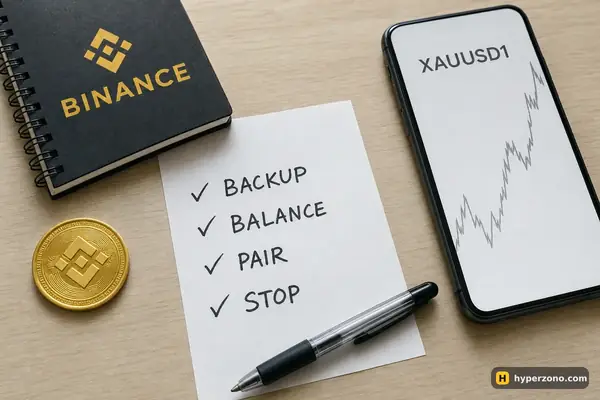
This is the check people skip. Without a backup, the perpetual contracts in the wallet are unavailable. Backup means Quick Backup with biometrics, iCloud or Google Drive with a recovery password, or a QR code — there is no 12-word seed phrase in this type of wallet, so never write one down for it.
Try the web version
Log into the same Binance account in a browser and open Binance Wallet on the web. In the top row of items you should see Perpetuals next to Markets, Stocks and Prediction; it opens a pair page such as the gold contract XAUUSD1, with a chart, leverage, the funding rate and a Connect button. If you see it on the web but not in the app, the problem is on the device side; if you see it in neither, look at the region section below.
A backed-up wallet is not optional here. If you lose the recovery password and then lose the device or delete the app, Binance cannot restore the wallet for you. Set up the backup properly once, before you put any money in — the full walkthrough is on our Binance Wallet setup page.
Where the Perps list and the dApp list actually sit in the app
On the wallet home screen there is a row of shortcuts — Alpha, Stocks, DeFi, Referral, More — and below it a set of lists you can switch between: Holdings, Trending, Stocks and Perps. The bottom bar has Home, Markets, Trade, Discover and Assets. So once the app is updated and the toggle is on Wallet, open the wallet and look at the Perps list under the shortcuts row. You should see group tabs like Gainers, Pre-launch, Stock, Commodities, AI and Meme, with a maximum leverage badge on each pair. That is the built-in route, and the trading screen there says "Provided by Aster" — Aster is the partner that supplies the order book and execution.
This layout comes from an Android app in October 2026, so your version may arrange things slightly differently. If the lists on the home screen look unfamiliar, open the Markets screen from the bottom bar and look for the perpetuals section there. What matters is that you are looking inside the wallet, not in the exchange's own futures section — those are separate products with separate balances, as explained on our Binance Wallet overview.
A futures dApp is a different route entirely. Open Discover from the bottom bar and switch to the DApps tab. There you get a search field labelled "Search for dApps or enter a URL", a Common Tools block with Recent, Favorites, DEX, Staking & Restaking and Lending, and a Trending DApps list that includes Aster as a "Next-Gen Perp DEX". HyperLiquid shows up as a dApp through the same search. We compare the routes and what each one costs you on the page about futures venues you can reach from the wallet.
If a venue is not in the Trending list, you can type its address into that same search field — the field accepts a URL. Whether any particular venue works properly that way is not something we can promise, so treat it as something to test with a tiny amount first. The connection steps are in the guide on connecting Binance Wallet to a perpetuals DEX.
When it really is a restriction, and what you can do
Binance does not publish a list of countries where the wallet's Perps tab appears, so you will not find an official page confirming your case. What is published is Aster's side: its terms from 25 February 2026 exclude residents of, and people located in, Russia, Ukraine, the USA, Canada, the United Kingdom, China, North Korea, Cuba, Iran, Venezuela and Syria. If you are in one of those places, the built-in perpetuals route is closed to you, and the same is likely true for the Aster dApp.
Do not try to get around a country restriction, with tools that hide your location or with someone else's documents. Access is tied to your verified account and to where you are, so working around it puts the account itself at risk — and you would be trading on a product the venue says it does not offer you. If the tab is genuinely unavailable where you live, the honest answer is that this product is not for you right now — and the other parts of the wallet, like swaps, Alpha and the DeFi section, still work normally.
The tab is there, but the order button does nothing
If you can see the Perps list and open a pair, but tapping the order button changes nothing, that is not a visibility problem at all. The first thing to check is whether there is actually money in the wallet — the Perps screen will show prices to anyone, but an order needs balance behind it.
Where you opened the pair matters too. On the web version the pair page has a Connect button, so if you are looking at the gold contract in a browser, tap it first and confirm. In the app you are already inside your own wallet, so there is nothing to connect and no such button to hunt for.
The third thing to check is the order size. Every pair has a minimum order size, and a very small amount can simply fall under it — check the minimum for that pair in the app when you enter the quantity. Funding the wallet is a short process covered in the setup guide, and if an order still behaves oddly once the money is in place, our troubleshooting section covers what else goes wrong with orders.
I updated the Binance app and still see no Perps tab — what next?
Check the Exchange / Wallet switch at the top of the home screen first, then confirm that your wallet is created and backed up, because perpetuals stay unavailable without a backup. After that, log into the same Binance account in a browser, open Binance Wallet there and see whether Perpetuals appears in the top row of items. If the web shows it and the app does not, it is a device or version issue; if neither shows it, treat it as a restriction on your account.
Do I need a seed phrase wallet instead of the keyless one?
No. Binance Wallet is a keyless wallet with no seed phrase at all, and the perpetuals screen is built for exactly that wallet. Anyone telling you to write down 12 words for it is describing a different kind of wallet. What you do need is the backup — Quick Backup with biometrics, cloud backup with a recovery password, or a QR code.
The Perps tab is not available where I live — can I still use the wallet?
Yes, the rest of the wallet keeps working: swaps, the Alpha and Stocks sections, the DeFi tab and the dApp browser. Only the perpetuals route is affected by the restriction. Do not look for ways around it; check again after an update, since availability can change.
Is HyperLiquid part of Binance Wallet?
No — it shows up in the wallet's dApp search as an external venue you can open from the wallet's built-in browser. That is a separate protocol with its own collateral and its own rules, not the same thing as the Perps tab, which is provided by Aster inside the wallet. Keep the two routes apart when you compare fees or positions.
My order button does nothing even though I can see the pair — why?
Start with the balance: the price screen is open to everyone, but an order needs money in the wallet. Then check the amount you typed, because every pair has its own minimum order size and a tiny amount can fall below it. And if you opened the pair in a browser rather than the app, tap the Connect button on that page first.
My friend's app looks different from mine — is something broken?
Probably not. App versions roll out at different times, and the lists and shortcuts on the home screen vary between builds and regions. The layout described here comes from an Android app in October 2026; if yours differs, use the Markets and Discover screens from the bottom bar to find the perpetuals section and the dApp list.
Sources and fact-check
Exchange terms were checked against official documents on October 22, 2026. Terms change — before you trade, check what matters to you in the exchange app and in your contract’s specs.
Binance Wallet: XAUUSD1 Perpetuals page