
Contents
What actually happens when you close halfHow to close part of your position on your phoneClosing part with an order instead of by handWhat happens to your margin and your liquidation priceA simple scale-out plan: half at your target, the rest with a stop at entryWhen it doesn't work: minimums, rejections and the wrong button
What actually happens when you close half
Say you are long 0.01 BTC from 80,000, which is 800 USDT of position size, opened with 10x leverage and about 80 USDT of your money as margin. Bitcoin moves up to 82,000 and your trade shows about 20 USDT of unrealized profit. These are illustrative numbers, but the mechanics are the real ones.
You decide to close half. The exchange sells 0.005 BTC at the market price, and that half of your profit — around 10 USDT — stops being "on paper" and becomes real money in your balance. What stays open is 0.005 BTC, still with an entry price of 80,000, still showing about 10 USDT of unrealized profit that can grow or disappear. The exchange does not recalculate your entry price when you close part of a trade — only the size shrinks.
Roughly half of the margin you had tied up comes back to your available balance too, so you can use it for something else or just leave it sitting there. If you want to see the same arithmetic with your own entry price and size, the calculator below does it for you.
| What | After closing half |
|---|---|
| Position size | Half of what it was |
| Average entry price | Unchanged |
| Profit on the closed half | Booked to your balance as realized profit |
| Profit on the rest | Still unrealized, can still turn into a loss |
| Margin | About half comes back to your available balance |
| Liquidation price | Depends on your margin mode — read the number on screen |
| Fees | Charged on the amount you closed; you will pay again on the rest |
How to close part of your position on your phone
The flow is almost the same everywhere, because it is the same close window you would use for a full exit — you just change one number in it. Full exits have their own page, how to close a futures trade; here we only change the quantity.
Open your positions list
In the trading screen, find the tab that shows your open positions — usually at the bottom of the chart in the app, or in a table under the chart on the web version. You will see one row with the coin, your size, your entry price and your current profit.
Tap the close control on that row
A small window opens asking how you want to close: at market price or with a limit order, and how much.
Set the quantity instead of closing everything
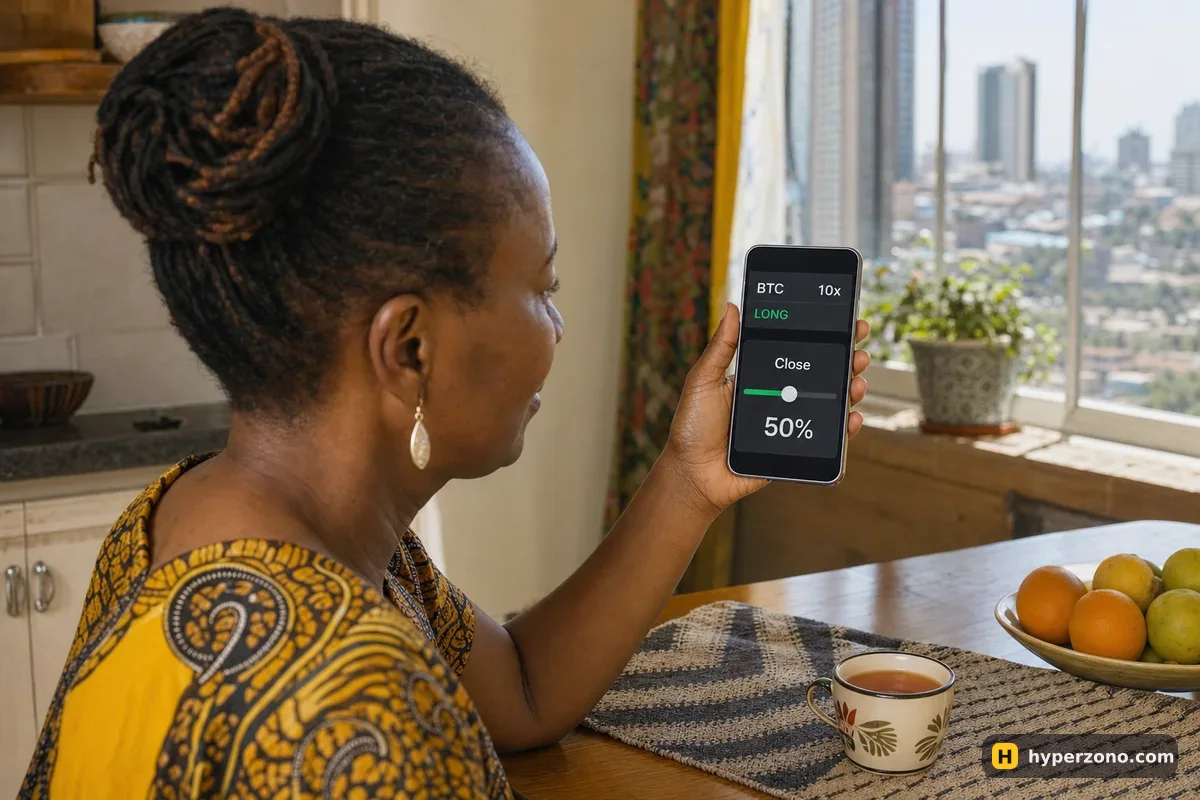
There is a field for the quantity, and usually a slider or a few percentage shortcuts next to it. Pick half, or type the exact amount — in our example, 0.005 BTC. Check whether the field is counting coins or USDT before you confirm.
Choose market or limit
Market closes that slice right now at whatever price is available. Limit waits for your price and may never fill at all. If you want the profit booked for certain, market is the simpler choice.
Confirm and look at the row again
Your size should now show half of what it was, the entry price should be identical, and your realized profit should appear in the balance. If the size went to zero, you closed the whole thing — tap through more slowly next time.
Fix your stop-loss
Open your open-orders list and make sure your stop still matches the size you are actually holding. More on this just below.
Closing part with an order instead of by hand
Doing it by hand means you have to be awake and holding your phone. The alternative is to leave an order sitting there that closes a slice for you when price reaches a level. In the order form, set the quantity to the part you want gone — say 0.005 BTC of your 0.01 — and set the trigger at your target. When price gets there, that slice closes and the rest carries on.
One checkbox matters a lot here: reduce-only. An order marked reduce-only can only make your position smaller — it will never open a new trade in the opposite direction. Without it, if you sell 0.01 BTC while holding only 0.005, you close what you had and open a 0.005 short by accident. The exchange will do exactly what you told it to.
Your stop does not always shrink with the position. On some exchanges a stop-loss attached to the position adjusts automatically; on others it is a separate order with a fixed quantity that stays at the original size. After a partial close, open your orders list and check the stop's quantity against the size you still hold, and make sure it is reduce-only. Details on setting one up are in how to set a stop loss.
What happens to your margin and your liquidation price
When you close part of a trade in isolated margin mode, the exchange returns roughly the same share of the margin to your available balance, plus or minus what that slice actually made. Close half, get about half the margin back. In cross margin the whole account is linked, so what you see is the margin requirement dropping and your free balance rising by the realized amount.
What happens to the danger point depends on which of those two modes you are in. In isolated margin, closing half also gives back half the margin, so the remaining position sits about the same distance from liquidation. In cross margin your whole balance still stands behind a smaller trade, so the liquidation price usually moves further away — which is why cutting part of a position is a real rescue move there. Either way, don't guess: read the liquidation price the exchange shows on what is left, right after the close.
If you want more breathing room on the rest, add margin to it or move your stop closer. The page on how the liquidation price is worked out explains what that number is actually built from, and cross margin vs isolated margin covers which mode suits a beginner.
Fees are charged on the amount you close, each time you close something. Closing 410 USDT worth at a 0.05% taker fee costs about 0.21 USDT, and you will pay again on the rest later. Two exits of half each cost about the same in fees as one exit of the whole trade. What is different is the price you get: a market order fills at whatever is on offer at that second, which can be a touch worse than the price on screen. On a tiny position that small gap, twice over, can cost you more than the fee. The fees page has the numbers in one place.
A simple scale-out plan: half at your target, the rest with a stop at entry
Keep the same trade as above: long 0.01 BTC from 80,000, with a stop at 79,000 that would cost you about 10 USDT if you are wrong. The plan is simple. When the trade is 10 USDT in profit — around 81,000 — close half. That puts about 5 USDT of real money in your balance, and the other 0.005 BTC keeps running with the same entry price.
Then move your stop on the remaining half to your entry price. In most cases the worst that half can now cost you is the fees — though on a fast move a stop can fill a bit worse than the price you set, so it is protection rather than a promise. From there, move the stop up by hand as price goes your way.
Being honest about the cost: scaling out gives up some of the upside. If price keeps going and the whole move ends up worth 40 USDT, the half you closed early only brought you 5 instead of the 20 it could have. What you buy with that is a much easier time holding the trade, and fewer moments of watching a winner turn into a loser. Many people trade far better with a smaller, calmer position than with a full one they keep staring at.
The quickest way to feel the difference is to try it on something small. Open a position of the minimum size you can afford, let it move a little, and close half of it on Bybit just to see the size change and the entry price stay the same. Demo mode is good for this too, if the exchange offers it where you live — check in the app when you sign up.
When it doesn't work: minimums, rejections and the wrong button
The most common blocker is the minimum order size. On Binance a bitcoin position cannot be smaller than 0.001 BTC, so if that is all you hold, there is no half to close — it is all or nothing. Some contracts also refuse to leave a tiny leftover behind. If the app rejects your quantity with a message about size, check the contract details for that coin, or just close the whole thing.
A reduce-only order that gets cancelled usually means your position already closed or already shrank below the order's quantity — the order had nothing left to reduce, so the exchange cancelled it instead of flipping you into the opposite direction. That is the checkbox doing its job. If instead you suddenly find yourself in a short after trying to close a long, that is a reduce-only box that was not ticked.
- The close window shows a percentage but your position barely changes — the field was set on the amount in USDT, not the coin quantity. Check which unit you are typing in.
- Nothing fills — you used a limit price that price never reached. Switch to market if you actually want out now.
- You closed everything by mistake — the full-close shortcut usually sits right beside the smaller ones, so it is easy to hit. Reopening costs you two more fees, so it is often better to accept it and set up the next trade properly.
- The size on screen looks odd after the close — some contracts round quantity to a step size, so 50% of 0.003 BTC may become 0.001 or 0.002 rather than exactly half.
Can I close part of a futures position on my phone?
Yes — the mobile app has the same close window as the web version. Tap the position, open the close control, and set the quantity yourself with the slider or by typing it instead of closing everything. Everything else works the same way it does on a computer.
Does closing part of a trade change my average entry price?
No. The entry price on the remaining position stays exactly where it was, and so does your leverage. Only the size changes, and with it the amount of profit or loss that is still on paper.
Will closing half of my position save me from liquidation?
It depends on your margin mode. In isolated margin, half the margin comes back along with the position, so the danger point stays in about the same place. In cross margin, your remaining balance backs a smaller trade, so liquidation usually moves further away. Check the liquidation price on screen right after you close, and if you want more room, add margin or move your stop closer.
Do I pay extra fees if I close a trade in two pieces?
Not really. Fees are charged on the size you close, so two exits of half each cost about the same as one exit of the whole trade. The difference is the price you get: a market order fills at whatever is on offer at that second, which can be slightly worse than the price on screen. On a very small position that gap, twice over, can cost more than the fee.
Can I close part of a losing trade?
Yes, and the mechanics are identical — the loss on that slice is booked to your balance right away, and the rest stays open with the same entry price. Cutting part of a losing trade reduces how much a further move against you costs, but it does not fix a position that was too big to begin with.
What does reduce-only mean when I am closing part of a position?
It tells the exchange that this order may only shrink your position and must never open a new one in the other direction. If your position has already closed or got smaller than the order, the order is cancelled instead of flipping you into the opposite trade. Tick it on every exit order.