
Contents
Maker and taker: why there are two ratesThe fee is on the position size, not on your moneyThe costs people forgetHow to pay lessWhere fees fit into your actual result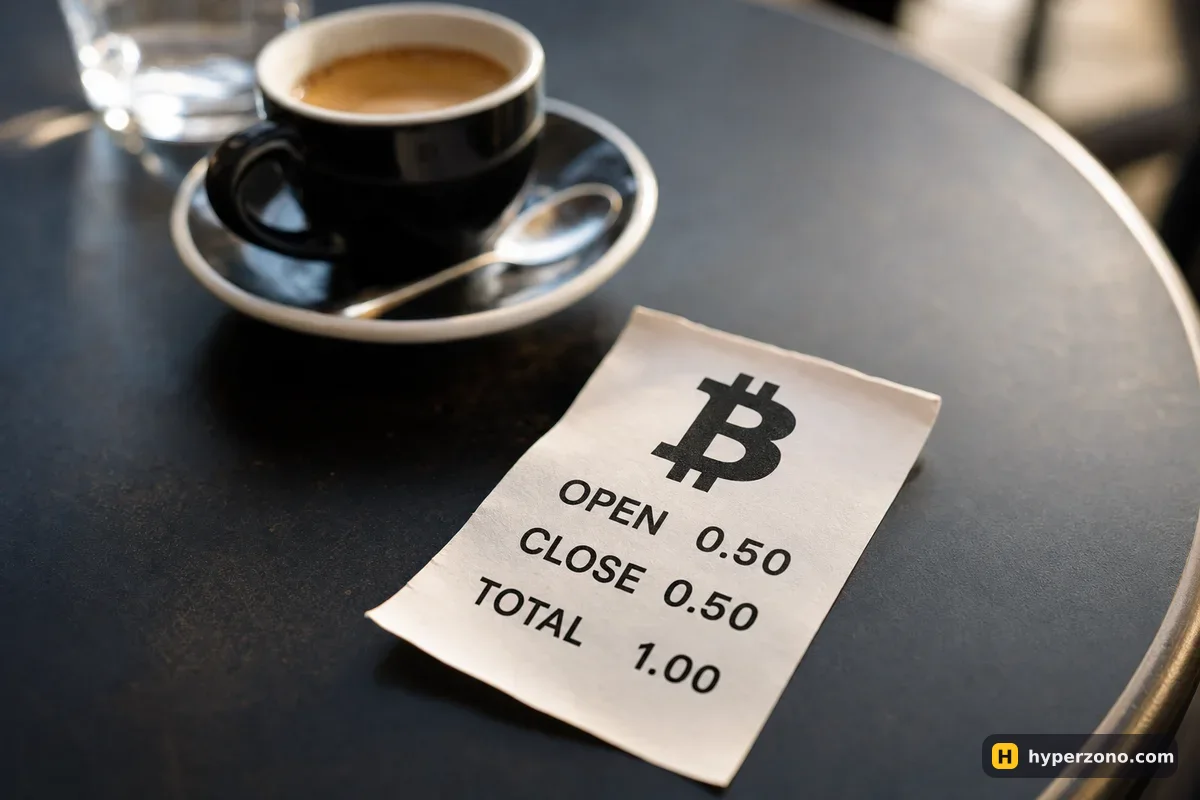
Maker and taker: why there are two rates
When you place an order, it either waits in the order book for someone to trade against it, or it takes a price that is already sitting there. If it waits, you are the maker and you pay the lower rate. If it fills instantly — which is what happens every time you tap the Market button — you are the taker and you pay more. This has nothing to do with whether you are buying or selling, or whether you go long or short.
A limit order is not automatically a maker order. If you set a limit price that the market has already reached, it fills immediately and you pay the taker rate. The only way to be sure you get the maker rate is the post-only setting, which cancels your order rather than letting it fill as a taker.
The fee is on the position size, not on your money
This is the part that catches beginners. The percentage is applied to the full size of the position, not to the margin you put up. Say you have 100 USDT and you open a trade at 10x leverage — your position is 1,000 USDT, and the fee is calculated on 1,000. At 0.05% that is 0.50 USDT to open and 0.50 USDT to close: one full dollar, which is 1% of your 100 USDT.
So higher leverage does not change the fee rate, but it absolutely changes how much you pay in money, because it makes your position bigger. Before fees you are even at your entry price; after fees the price has to move about 0.1% in your direction just to get back to zero. If you are hoping to catch a 0.2% move, half of it is already spoken for before the price does anything.
| How your order fills | Rate each side | Open + close on 1,000 USDT |
|---|---|---|
| Limit order that waits in the book (maker) | 0.02% | 0.40 USDT |
| Order that fills instantly (taker) | 0.05% | 1.00 USDT |
| Taker, with fees paid in BNB | 0.045% | 0.90 USDT |
Other exchanges charge the same way — a small percentage when you open and again when you close — but the actual numbers differ, so open the fee page inside the app you use. If you want to compare venues side by side, that belongs on the lowest futures fees page. The quickest way to see your own rate is to open a Binance Futures account and look at the fee line in the order window before you confirm anything.
The costs people forget
Trading fees are visible and predictable. These four are not, and together they often cost more than the fees themselves.
- The spread. The best price to buy is always slightly above the best price to sell. On bitcoin that gap is tiny; on a small altcoin it can be wider than your whole trading fee, and you pay it twice, in and out.
- Liquidation. If the exchange closes your position for you, that close is still an execution, so the fee on the way out happens anyway — and it happens at the worst possible price. Whether there is anything on top of that is in your exchange's own terms, so check there, and read what liquidation actually is before you find out the hard way.
- Conversion. Buying USDT with your local currency by card or P2P, or swapping one coin for another, has its own cost built into the rate you get.
- Withdrawal. Moving coins out to your own wallet costs a network fee that depends on the blockchain, not on your trade.
Funding is the other regular deduction on perpetual contracts, but it is a payment between traders rather than a fee to the exchange, and it only applies while you hold a position through a settlement moment. That has its own page on funding.
Let the fee line decide for you. Before you tap confirm, look at the fee number the order window shows you in USDT. If it is more than about a tenth of the profit you are aiming for, the trade is not worth taking — either wait for a move that is worth the cost, or take a smaller position and stop paying for the privilege of being busy.
How to pay less
The biggest saving is free: use limit orders with post-only where you can, and you drop from the taker rate to the maker rate. On Binance that more than halves the cost of a round trip. The trade-off is that your order might not fill, which is fine for planned entries and a problem when you need out right now.
After that, two smaller levers. Paying fees in the exchange's own token gives a discount — on Binance that is BNB, taking the taker rate from 0.05% to 0.045%. Trading volume moves you up the VIP tiers over time, though that takes real size and is not something a beginner should plan around.
Sign-up links, including ours, carry a referral code: the exchange pays us for sending you, which is how this site is funded. Whatever conditions apply to your own account are shown on the fee page inside the app, so check there instead of believing a number written on someone's website — including this one. What a referral code does and does not give you is spelled out on the referral discount page.
Where fees fit into your actual result
Fees are not the reason most beginners lose money, but they are the reason a lot of small winning trades turn into small losing ones. A trade that closed at +0.8 USDT on the price and cost 1 USDT to run is a losing trade, even though the chart says you were right. Working out the complete picture — price difference, fees and funding together — is covered on how to calculate your real profit.
Trade less often, with a clear reason each time, and the fee question mostly answers itself. On that same 100 USDT at 10x, every round trip costs about 1 USDT. Ten trades in a month is 10 USDT — a tenth of your money gone on fees alone. Forty trades is 40 USDT, and the market has to work very hard just to pay that back.
How much are Binance futures fees?
On USDⓈ-M futures at the base VIP 0 level it is 0.02% as a maker and 0.05% as a taker, charged on the position size each time you open and each time you close. Paying fees in BNB brings that to 0.018% and 0.045%. Higher volume moves you to lower tiers, and the rate you personally get is always shown in your account.
Are futures fees charged on my margin or on the whole position?
On the whole position. If you put up 50 USDT at 10x, your position is 500 USDT and the fee is calculated on 500. That is why the same 0.05% feels much bigger at high leverage — the rate is the same, the money is not.
Do I pay a fee even if the trade loses?
Yes. The fee is for executing the order, not for being right. A losing trade costs you the price difference plus the fee on the way in and the fee on the way out.
Is there a separate charge for using leverage?
On futures, no — there is no borrowing interest the way there is on margin trading. You pay the trading fee on entry and exit, and funding if you hold a perpetual contract through a settlement moment.
Does a referral link make my futures fees cheaper?
Treat that as something to verify, not to assume. A sign-up link carries a code that pays the site, and any conditions attached to your account show up on the fee page inside the app. Look at that page after you register and trust what it says there.
Which is cheaper, market or limit orders?
A limit order that waits in the book is cheaper, because it pays the maker rate. But a limit order that fills the instant you place it counts as a taker and costs the higher rate, so use post-only if the lower rate is the point.