
Contents
What a market order really doesWhat is a limit order in futures, and why it sometimes never fillsPost-only: the small switch that keeps your limit order cheapWhich order type should beginners use — entries and exitsWhere stop orders fit inWhat a market order really does
When you choose Market and confirm, the exchange matches your order against the orders other traders have already left waiting. You are filled in a second, and you take whatever prices are available at that moment. You almost never get exactly the number you saw on the screen a breath earlier — you get the closest ones on offer.
On bitcoin, with a position of 100 or 500 USDT, that difference is usually so small you have to look for it. On a small altcoin, or thirty seconds after a big news headline, it can be noticeably worse than the price you had in mind. That gap between the price you expected and the price you got is called slippage, and it is the real cost of being in a hurry.
The second cost is the fee. A market order grabs orders that other people have already left waiting at different prices, and because you are taking what someone else put there, you pay the higher of the two rates — the taker fee. On Binance's base level, for example, that is 0.05% instead of 0.02% for the other side; the exact numbers on your exchange are on its fee page, and we break them down in what fees you pay on futures.
What is a limit order in futures, and why it sometimes never fills
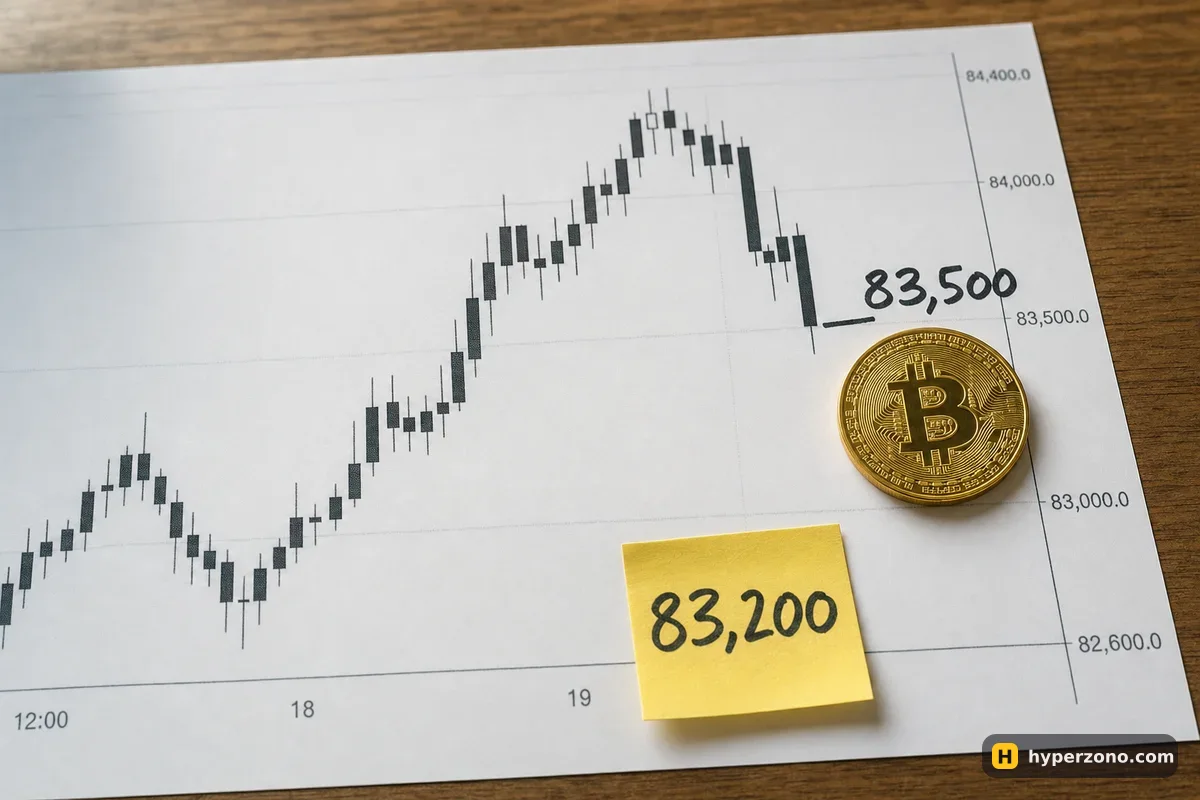
With a limit order you type the price you are willing to pay or accept, and your order joins the waiting orders until someone trades against it. Say bitcoin is around 83,500 and you think it will dip before going up. You place a buy limit at 83,200. If the price comes down to your number, you are in at your price and you pay the lower maker fee. If it does not come down, nothing happens.
That "nothing happens" is the honest downside. You can be completely right about the direction and still end the day with no trade at all, because you wanted to buy 300 dollars lower. On a 500 USDT position that better entry was worth about 1.80 USDT — and you missed the whole move for it.
One detail that surprises people: a limit order is not automatically the cheap one. If you set a buy limit at or above the price already on offer, it fills instantly — and an order that fills instantly is a taker order, at the taker fee. Maker and taker describe how your order was filled, not which button you pressed.
Post-only: the small switch that keeps your limit order cheap
Most exchanges have an option called post-only, usually tucked into the extra settings of the order window; if you have never opened that screen, trading futures on Bybit step by step shows where it sits. It means: put this order in the queue of waiting orders, and if it would fill immediately, cancel it instead. So you either get the maker fee or you get nothing — never an accidental taker fill at a price you did not mean to pay.
Is it worth the effort? On a 500 USDT position the maker side costs about 0.10 USDT and the taker side about 0.25 USDT at Binance's base rates. Fifteen cents. Over a hundred trades it adds up to real money, but it is never a reason to chase a fill or skip a stop-loss. Take the saving when it is free, and let it go when the trade matters more.
| What matters | Market order | Limit order |
|---|---|---|
| Speed | Fills in about a second | Fills when price reaches you, or never |
| Price | Whatever is on offer right now | Exactly your number, or better |
| Fee role | Always taker (higher) | Maker if it waits, taker if it fills instantly |
| Main risk | Slippage on thin coins and fast moves | The move happens without you |
Which order type should beginners use — entries and exits
For entries, limit is the better default. You are not in a rush to open a trade; nobody is forcing you into bitcoin at this exact second. Deciding your entry price before you tap also forces you to think about where your stop and your target sit, which is most of the work of a good trade anyway. If your price never arrives, you simply did not take that trade.
For exits, it depends on why you are exiting. Taking profit at a planned level works nicely as a limit order waiting in the market while you sleep, and the buttons for it are the same ones described in how to close a futures trade. But when you want out because the trade is going wrong, or the price is sliding fast and your plan says leave, use market and be done.
The easiest way to feel the difference is to open a futures account on Bybit and watch the order window switch between the two tabs while the price moves — then try it with the smallest size the contract allows, or in demo first.
Never fight for fifteen cents on the way out. A beginner who sets a limit exit on a losing trade and then watches it not fill while the loss grows has paid far more than the fee they saved. When the exit matters, pay the taker fee and move on.
Where stop orders fit in
A stop order is a different thing again: it is an instruction that sleeps until the price reaches your trigger, and only then sends a market or a limit order to the exchange for you. That means your stop-loss also has a market-or-limit choice inside it, with the same trade-off — certainty of filling versus certainty of price. We cover that choice properly in stop-market or stop-limit.
If you have never placed an order at all, walk through it once in your first futures trade — the order window is the same screen, you just switch tabs.
Is a limit order always cheaper than a market order?
Only if it actually waits. A limit order placed at a price that fills instantly counts as a taker order and pays the taker fee, exactly like a market order. If you want the lower maker fee for certain, use the post-only option so the order is cancelled rather than filled immediately.
Can a limit order fill at a better price than I set?
Yes. Your limit is the worst price you accept, not an exact one. If the price drops straight through your buy limit — say you set 83,200 and the market falls to 83,100 in one go — you can be filled at 83,100. You can never be filled worse than your number.
What happens if my limit order never fills?
It just sits in your open orders until the price reaches it or you cancel it. Check the open orders section of the app — if the idea has gone stale, cancel it, because an old forgotten order can fill days later in a market you no longer wanted to trade.
Which order type should a beginner use for the first trade?
A limit order to open, so you choose your price calmly, and a market order to close when the exit matters. Keep the position small enough that a few cents of slippage changes nothing about how you feel.
Does slippage affect bitcoin trades much?
On bitcoin with a small position, rarely — there are usually plenty of waiting orders at nearly the same price. It shows up on low-volume altcoins and in the seconds around big news, when the orders near the price get eaten fast. If you trade smaller coins, limit orders are worth the extra patience.