Contents
Tie every alert to a level you planned in advanceAn alert is a message, an order is a tradeHow to set one up without guessingTest delivery before you rely on itHow long does an alert stay active, and when do you clean up?A template you can copy, and where to practise it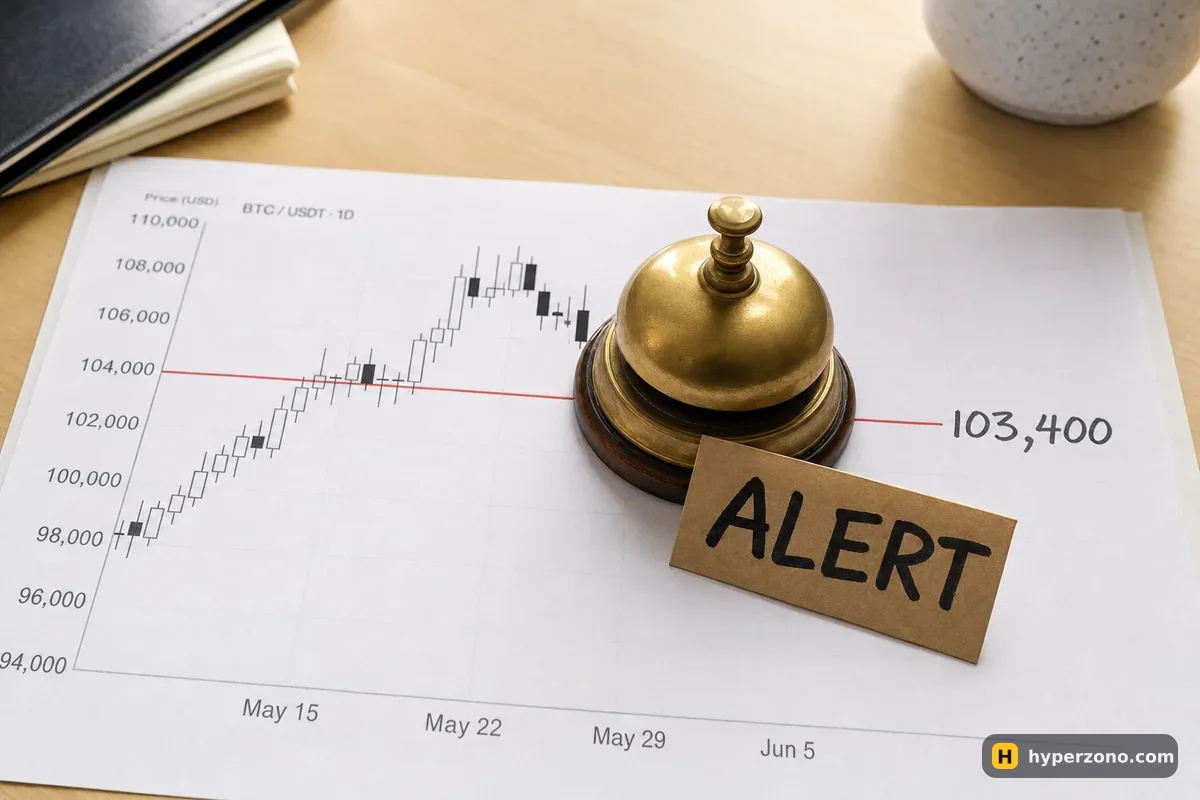
Most beginners burn their attention, not their deposit, in the first weeks. You open the app at breakfast, at lunch, in the queue, in bed, and the price is doing nothing. Alerts give that time back: you decide once where the price would actually become interesting, you set a notification there, and you close the app. When the phone buzzes, you open the chart already knowing why you are looking at it.
Tie every alert to a level you planned in advance
An alert on a random round number just moves the chart-watching into your notification bar. Start from the other end: write down the one or two prices where you would actually do something, and why. "If bitcoin comes back down to the area it bounced from twice last week, I want to look at a long" is a level. "Bitcoin at a nice number" is not.
Say your plan says you are interested in a bounce near 103,000 (an illustrative number). Put the alert at 103,400, not at 103,000. You need the minutes between the notification and the level to pick up your phone, open the app, look at the last few candles and decide whether the idea still makes sense. An alert that fires exactly at your price arrives too late to be useful. If you have never written a plan for a single trade, the short version lives in how to write a trade plan.
Two or three live alerts is plenty. Each one should have a sentence attached to it, written somewhere you will see it — in the alert's own note field if the app has one, otherwise in your notes app: "103,400 BTC — check for a long, risk 10 USDT, skip if the candles are still falling fast." Without that sentence, the notification just says a number, and you improvise. Improvising at speed is how people open trades they never planned.
An alert is a message, an order is a trade
This is the part that matters for your money. If you set an alert at 103,400 and go to sleep, and the price falls to 101,000 overnight, you wake up to a notification and a position that nobody protected. The notification wakes you up. The stop order is what actually closes the trade while you're asleep.
On an exchange you have several ways to say "when price gets here, do this", and they are not the same thing. Two of these wait for a trigger price — a stop order and a conditional order. On Binance you choose which price the trigger watches, the last traded price or the mark price. Those are two different numbers on the same screen, and why a contract shows several prices explains the difference in a minute.
| What you set up | What happens when price reaches your level | What is still on you |
|---|---|---|
| Price alert | Your phone shows a notification. Nothing changes on your account. | Open the app and decide, in time. |
| Limit order at your price | It waits in the order book — no trigger to set here. The exchange tries to fill at your price or better, and Binance states plainly that a limit order is not guaranteed to execute. | Check later whether it actually filled. |
| Stop market order | The trigger price fires a market order, matched at the best available price — the fill can be worse than your trigger. | Accept that the fill price is not the trigger price. |
| Conditional order | You pick a price that acts as the trigger. When the market reaches it, the exchange places the order you prepared — a limit order or a market order. | Choosing which price the trigger watches, and which order it sends. |
Binance's own example of a conditional order reads like an automated alert that acts: if BNB rises above 310 USDT, place a limit buy at 309 USDT. The notification equivalent would simply tell you BNB passed 310 and leave the rest to you. A trailing stop goes one step further and follows the market at a callback rate — a percentage distance — closing at market when price reverses by that much.
On a chart app like TradingView, alerts and order placing are two separate things: the alert draws a line and makes a sound, while the buy and sell buttons only work if you have connected a broker. So a chart alert never touches your exchange account on its own — handy to know, and a reason not to expect it to save a position.

How to set one up without guessing
Write the level and the reaction first
One line in your notes: the price, the direction you expect, and what you will do if you get there. If you can't finish that sentence, you don't need the alert yet.
Open the pair you follow
In an exchange app, the alert control usually sits on the pair's price screen or on the chart itself. Names and placement differ between apps and change with updates — if you can't find it, search the app's help for "alert". A chart app like TradingView has its own alerts, independent of any exchange.
Put the alert slightly before the level
A few tenths of a percent early, on the side the price is coming from. You want warning, not confirmation.
Add the note, if there is a field for it
Write what the alert means and what you plan to do. Future you, half asleep, will thank present you.
Check where the notification is delivered
Phone app, desktop pop-up, email — apps differ in what they offer. Pick the one you actually look at, and make sure the app is allowed to send you notifications on your phone.
That whole sequence takes about a minute per level. If you are building a short daily routine around it, it slots neatly into a 15-minute trading session — set the levels at the start, close the app, let the alerts do the waiting.
Test delivery before you rely on it
Do this once on a quiet day, not on the day the price finally gets to your level. Set an alert a short distance from the current price, somewhere the market will reach within minutes, then lock the phone, put it in your pocket and carry on with whatever you were doing. If the notification arrives and you notice it, your setup works. If it doesn't, the cause is almost always outside the trading app.
Go through the obvious ones in order: notification permission for the app in your phone settings, battery saver or sleep mode suspending the app in the background, a silent or focus mode that swallows the sound, or simply being logged out of the app. On a computer, remember that a pop-up may be gone by the time you look back — on TradingView there is a setting that hides pop-up alerts automatically after 20 seconds, and if it's on, the message can disappear before you glance at the screen. When you are away from the desk the phone is your real channel, so set the alert sound loud enough to hear from the next room.
An alert is not protection. If you are holding a position, the thing that limits your loss is a stop order sitting on the exchange, not a notification on your phone. Set the stop when you open the trade — see how to set a stop loss — and treat alerts as a way to find opportunities, never as a safety net. It is also worth knowing what happens to your trade if your phone dies or your internet drops.
How long does an alert stay active, and when do you clean up?
There is no single rule here. Some apps keep an alert until you delete it, some expire it after it fires once, some let you choose. The honest answer is to check in the app you use, and to confirm it the first time by looking at the alert list after one has triggered: is it still there and still armed, or has it gone quiet? TradingView, for example, distinguishes active alerts from expired or inactive ones, and lets you hide the inactive ones from the chart so the lines don't pile up.
Clean-up matters more than it sounds. A level you drew two weeks ago may have been broken, retested and forgotten, but the alert still fires and still pulls your attention — exactly the thing you were trying to stop. Once a week, open the alert list, delete anything whose reason you can no longer state in a sentence, and move the rest if the chart has moved. Five minutes of housekeeping keeps notifications meaningful instead of becoming background noise you swipe away.
A template you can copy, and where to practise it
Keep the same five lines for every alert. Write them in one note, reuse them, and your alerts will stay tied to decisions instead of drifting into chart-watching by other means.
- Pair and level: BTCUSDT, 103,400 (alert), zone of interest 103,000.
- Direction and reason: looking for a long; price bounced from this area twice.
- What I do when it fires: open the app, look at the last hour of candles, decide within 10 minutes.
- What makes me skip it: candles still falling hard, or I'm tired, or it's 3 a.m. — then I skip and delete the alert.
- Risk if I do take it: the amount in USDT I am willing to lose, decided now, not later.
The cheapest place to rehearse all of this is a demo account, where the alerts, the chart and the order window behave like the real thing but the money doesn't. Set two alerts on the pair you follow, go and do something else, and when one fires, time yourself: how long from notification to a correctly filled order window with a stop attached? Most people are surprised at how much slower that is than they imagined, and it teaches you more than any chart pattern.
The whole setup is walked through in how to open a Bybit demo account. When you're ready, you can sign up on Bybit and switch to demo in the app — check there that demo trading is offered where you live.
Can a price alert open a trade for me automatically?
No. An alert sends a message and nothing else. If you want the exchange to act at a price, you need an order — a limit order waiting at your price, or a conditional or stop order that triggers one when the price gets there. For those trigger orders on Binance you also choose which price the trigger watches, the mark price or the last traded price.
Will I still get the alert if my phone is locked or I'm asleep?
A locked phone is fine as long as the app is allowed to send notifications and your phone isn't in silent or battery-saving mode that suspends it. Asleep is a different problem: you will get the notification, but you won't act on it. If a position is open overnight, it needs a stop order, not an alert.
How many alerts should a beginner keep running?
Two or three. Each one should have a written sentence saying what you'll do when it fires. Ten alerts give you ten interruptions a day and no decisions, which is the habit you were trying to break.
Do price alerts cost anything?
Getting a notification doesn't charge your trading account — no fee is involved because no trade happens. Whether an app limits how many alerts you can keep, or ties them to a paid plan, differs between apps, so check in the one you use.
Can I use an alert instead of a stop loss to protect a trade?
No, and this is worth being blunt about. A stop sits on the exchange and works while you're offline; an alert needs you awake, available and fast. Price can also move far past your level in seconds during news, and by the time you've picked up your phone the loss is much bigger than you planned.
Should I set the alert exactly at my level?
Set it a little before, on the side the price is approaching from. You want enough time to open the app, look at the chart and decide calmly. An alert that fires at the exact price turns a planned trade into a rushed one.
Sources and fact-check
Exchange terms were checked against official documents on October 25, 2026. Terms change — before you trade, check what matters to you in the exchange app and in your contract’s specs.
Binance: Types of Order on Binance FuturesTradingView: How to configure your Supercharts