Contents
What the table above actually showsTwo layers: Hyperliquid's own markets and trade.xyzGroup by group, with real numbersHow to read volume, leverage and funding before you chooseWhat a trade there costsHow to start: wallet, USDC, tickerWhat the table above actually shows
Every row is one perpetual contract you can open a long or a short on. The columns give you the current price, the move over the last 24 hours, the 24-hour volume, the maximum leverage that market allows and the funding rate for the current hour. The tabs split the list into stocks, indices and funds, gold and oil and other commodities, and crypto, and the search box takes either a name or a ticker.
The numbers come straight from api.hyperliquid.xyz and are refreshed every 10 minutes, so they are close to live but not tick-by-tick. This table doesn't place orders and doesn't show the live buy and sell offers — it is there so you can see what exists and how busy each market is before you connect a wallet. For how the exchange itself works, there is a separate Hyperliquid guide.
Two layers: Hyperliquid's own markets and trade.xyz
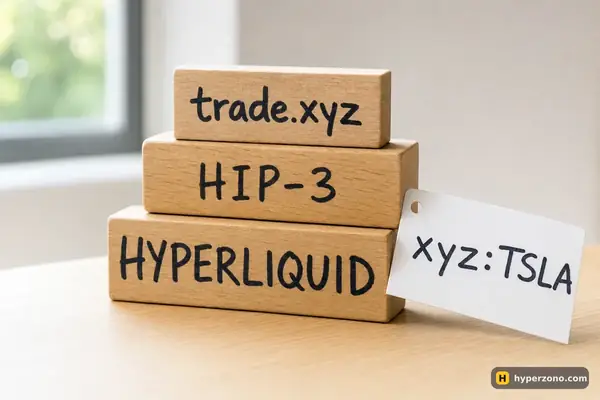
Hyperliquid runs the crypto perpetuals directly: Bitcoin, Ethereum, HYPE, ZEC and 170-odd other coins. Everything else — Tesla, Nvidia, the S&P 500, WTI oil, gold — arrives through HIP-3, a mechanism that lets an outside team deploy its own perpetual markets on Hyperliquid's infrastructure. The main deployer for stocks, indices and commodities is trade.xyz, which is why those tickers look like xyz:TSLA, xyz:GOLD or xyz:SP500.
The deployer does real work and carries real power. It defines each market: which price feed (oracle) the contract follows, the contract specifications and the leverage limits. It can also halt a market, and then it cancels the waiting orders and closes everyone's positions at the fair price the exchange calculates at that moment (the mark price) — not at a price you chose.
On the xyz markets the money you put up is USDC. The whole xyz side has its own margining and its own order books, kept apart from Hyperliquid's crypto markets — so your bitcoin trade and your Tesla trade are counted separately. Inside xyz, though, positions can share margin, so a loss on gold there can eat into what is holding your Tesla trade. Keep that in mind before you open two xyz trades at once, and if you want them kept apart, check the margin setting for each position in the app.
When you trade an xyz stock market you are not buying a share and you are not a shareholder — you are trading a contract whose price follows a feed chosen by trade.xyz, on Hyperliquid's engine. That is worth reading twice, because it is the one thing people miss. The detail of who sets what is in how HIP-3 markets work.
Check the market, not just the ticker. Before your first trade on an xyz market, open its specification in the interface and look at the price source and the leverage cap. A market run by a deployer can be halted and settled at that calculated fair price, which is a different kind of event from anything on the crypto side.
Group by group, with real numbers
Here is what the four tabs held on 22 October 2026. Treat the volumes as a snapshot — they change every day, and the table above always shows the current ones.
| Group | How many markets | Busiest examples, 24h volume | Max leverage |
|---|---|---|---|
| Crypto (Hyperliquid's own) | 178 | Bitcoin ≈ $2,194M, Ethereum ≈ $865M, HYPE ≈ $441M, ZEC ≈ $372M | BTC 40x |
| Stocks (xyz) | 99 | SpaceX ≈ $343M, SK Hynix ≈ $331M, Meta ≈ $212M, SanDisk ≈ $179M, Nvidia ≈ $120M, Tesla ≈ $117M | mostly 10x or 20x |
| Indices and funds (xyz) | 7 | XYZ100 ≈ $271M, S&P 500 ≈ $241M, SOXL ≈ $116M | S&P 500 up to 50x |
| Commodities (xyz) | 9 | WTI oil ≈ $244M, Brent ≈ $161M, silver ≈ $138M, gold ≈ $34M | gold 25x, WTI 20x |
Two things stand out. First, the stock side is not a small side-show: SpaceX alone turned over more that day than gold, Brent and silver put together. Second, within one group the gap is huge — Nvidia traded about three and a half times the volume of the gold market that day. If you are choosing between two markets that interest you equally, the busier one is usually the easier one to get in and out of.
Markets from different groups also move in different rhythms. Oil and a stock index can both sit quietly for days and then jump on one piece of news, but rarely on the same news and rarely by the same amount.
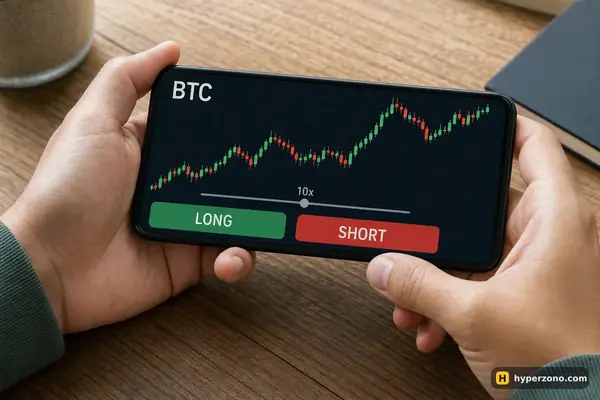
Look at the 24h change column before you pick. If a contract moved 4% yesterday, 100 USDT of your own money in that market, with no leverage, would have swung by about 4 USDT. Put the same 100 USDT up as margin at 20x and you are holding a 2,000 USDT position, where that same 4% day is 80 USDT. That is the quickest way to see whether high leverage belongs anywhere near that market.
If index contracts are what brought you here, the S&P 500 and Nasdaq page compares the usual routes; for metal, gold on a crypto exchange covers what the xyz:GOLD market is tracking.
How to read volume, leverage and funding before you choose
Volume is your liquidity check. A market doing hundreds of millions a day will usually fill a small order at close to the price you see; a market doing a few million may move against you as you enter, and your stop may fill further away than you planned. You don't need a rule more complicated than this: for your first trades, pick from the top of the volume column in the group you care about.
Leverage in the table is the ceiling, not a suggestion. Gold at 25x means you could hold a 1,000 USDT position with 40 USDT of margin — and a 4% move against you would wipe out that margin before fees. The same market is perfectly happy to take 3x. The number in the column tells you what the deployer allows; what you choose is a separate decision about how much of your own money you are prepared to lose.
Funding on Hyperliquid is settled every hour, which looks alarming next to the 8-hour rate most exchanges show, but it is simply chopped smaller. A rate of 0.0012% an hour (illustrative) on a 500 USDT position costs you about 0.006 USDT an hour, roughly 0.14 USDT a day, and only if you are holding at the moment of payment. A positive rate means longs pay shorts, a negative one the reverse; the exchange keeps none of it.
What a trade there costs
There are two fee numbers, and which one you pay depends on how you enter. If you take the price already sitting on the screen, you pay 0.045% of the position; if you place your own order and wait for someone to come to you, 0.015%. On a 500 USDT position that is about 0.22 USDT to get in — and the same again to get out. Trade a lot over a two-week stretch and the rate drops, which matters to heavy traders far more than to someone testing with 100 USDT.
That one scale covers crypto and xyz markets alike, but on xyz markets the deployer scales the fee with its own setting, and a deployer may keep up to half of what its markets collect. The safest move is to open Hyperliquid, bring up the market you picked and read the fee shown in the order window rather than assuming the base number. Staking HYPE gives a discount from 5% upwards.
How to start: wallet, USDC, ticker
Connect a wallet
There is no exchange sign-up and no document check — you open the app and connect a crypto wallet. The wallet stays yours; the app just talks to it.
Deposit USDC
Your trading balance is USDC, and the xyz markets use USDC as collateral too. The network and the steps matter, so follow the deposit guide and send a small test amount first.
Find the ticker
Use the search in the table above to get the exact name — an xyz stock market is not the same entry as the ticker you would see at a broker, and some companies look similar. Then search the same ticker in the app.
Open one small trade with a stop
Set the leverage yourself instead of accepting the maximum, and place a stop-loss in the same order window. Start with a single position rather than two at once, and size it so that if the stop is hit you lose an amount you are fine losing — with 100 USDT that is one or two dollars, not twenty.
One availability note: the app blocks access from certain jurisdictions and shows a restricted-jurisdiction message instead of the trading screen, and it names no countries. Check it yourself by opening the app where you live, and check your local rules about derivatives before you deposit. If you would rather compare this route with a regular exchange account first, there is a side-by-side on Hyperliquid vs Binance Futures.
Does Hyperliquid really have Tesla, Nvidia and SpaceX?
Markets with those names exist, deployed by trade.xyz on Hyperliquid through HIP-3, with tickers that start with xyz:. They are perpetual contracts that follow a price feed chosen by the deployer, not shares — you get no shareholder rights and nothing is delivered. The table above shows which of them are actually busy right now.
Is the price on an xyz market the same as the real share price?
It tracks a price feed, and the deployer decides which one and how it is used. That usually keeps the contract close to the underlying market, but it is a separate market with its own buyers and sellers, so small differences are normal. Open the market specification in the interface before you trade a particular ticker.
Can a loss on one xyz market hit my other xyz position?
It can. The xyz side is margined separately from Hyperliquid's crypto markets, so a bitcoin trade and a Tesla trade are counted apart — but two positions inside xyz can share the same margin. If you want a gold trade and a stock trade to stand on their own, check the margin setting for each one in the app before you open the second.
How often does the table update?
Every 10 minutes, pulled from Hyperliquid's own API. That is fine for picking a market and comparing volume or leverage, but your entry price will be whatever the app shows at the moment you place the order, not what you read here.
What leverage can I get on stocks and gold there?
It is set per market by the deployer. On 22.10.2026 most xyz stocks allowed 10x or 20x, with Tesla, Nvidia and SpaceX at 20x, gold at 25x and WTI oil at 20x; on Hyperliquid's own side Bitcoin allowed up to 40x. The current cap for each market is in the leverage column above.
Do I need to register on Hyperliquid to see these markets?
No — the table above shows everything without an account, and the app itself lets you look at charts before you connect anything. You only need a wallet and USDC when you want to open a position.
Sources and fact-check
Exchange terms were checked against official documents on October 22, 2026. Terms change — before you trade, check what matters to you in the exchange app and in your contract’s specs.
Hyperliquid Docs: HIP-3: Builder-deployed perpetualsHyperliquid Docs: Feestrade[XYZ] Docs: About trade[XYZ]