Contents
How to check your contract in ten secondsWhat changes when the grid sits on gold or a stock instead of BTCA grid on gold in numbersIf the contract is not in the listHow to check your contract in ten seconds
Since there is no published list of supported contracts, the search box inside the bot is your answer. Open it, look for the contract, and you know. The futures DCA bot has its own symbol search, so check that one separately — support in one bot does not mean support in the other.
Open the bot
On the website: Trade → Trading Bots → Futures Grid. In the app: open the futures section (USDⓈ-M — the one where everything is settled in USDT) and find Futures Grid on the bottom bar.
Search for the contract
Type gold, or the name of the company you want, into the symbol search. The exact ticker is shown in the list — check the contract name before you select it. If nothing comes up, the bot does not support it and no setting will change that.
Read the panel before funding
Once a symbol is selected, the panel shows the minimum investment it needs and the estimated profit per grid. There is no single fixed minimum — it depends on your price range, your leverage and the contract itself — so the number your own screen shows for your own symbol is the one to trust.

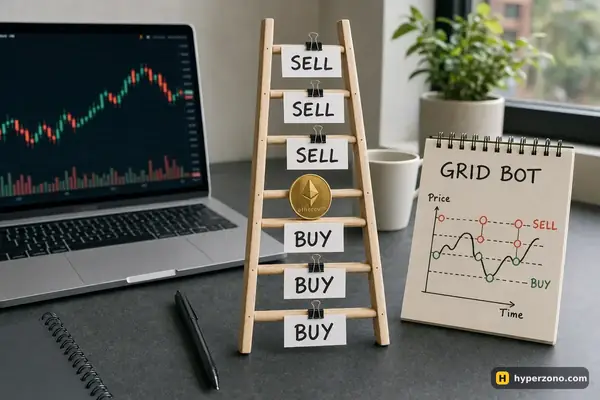
A grid lives on price going back and forth inside your range. A long steady fall is what hurts it: it keeps buying on the way down and you end up holding a position that is worth less than you paid. That is worth holding in your head before you pick a market: if you want the background on the instrument itself, the page on trading gold with futures covers it, and Tesla, Apple and Nvidia contracts covers the stock side.
What changes when the grid sits on gold or a stock instead of BTC
The grid mechanics are identical, and the general version is explained in how a futures grid bot works. What changes is the market underneath. Binance's TradFi perpetuals trade around the clock, weekends included, while the shares themselves only trade in the New York session, 9:30 to 16:00 New York time. Your bot keeps placing and filling orders on Saturday night, when the company it follows is closed and the only thing moving the price is other traders.
Your real result is three things added together: the small profits from cycles the bot has already closed, the profit or loss on the position it is still holding, and the funding payments for holding it. On gold and stock contracts funding can be charged on a different schedule, so check the contract specification for the one you pick instead of assuming it behaves like bitcoin. Leverage caps differ too: commodities go up to 100x and stocks sit between 20x and 75x, with newly listed stock perpetuals at 20x. Seeing 100x in the list doesn't mean you should use it. On a grid, leverage mostly decides how quickly the position the bot keeps adding to runs out of margin — the higher you set it, the sooner a move against you ends the whole thing.
A grid on gold in numbers
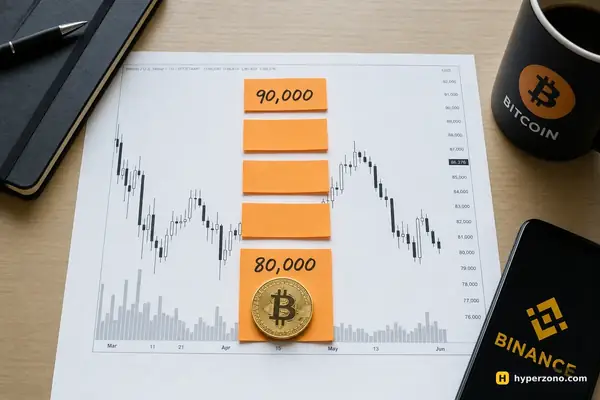
These figures are illustrative — take a made-up gold price of 4,000 USDT so the arithmetic is easy. You set the grid to work in both directions (that's the Neutral setting: it starts with no position and only buys or sells as price moves) from 3,900 to 4,100 with 20 levels, evenly spaced, so each step is 10 USDT, or 0.25% of price. You put in 200 USDT at 5x, which spreads about 1,000 USDT of position across those 20 levels — roughly 50 USDT per level.
Each completed round trip earns the step minus two fees. At maker 0.02% in and out, that is 0.25% − 0.04% ≈ 0.21% of 50 USDT, about 0.10 USDT per cycle. Forty cycles over a week comes to roughly 4 USDT.
Now the other side: gold leaves the range downward and keeps falling to 3,800. The bot has already bought on the way down, stops opening new positions below the range, and sits on roughly 500 USDT of position bought at an average near 3,950 — about 19 USDT of unrealized loss against those 4 USDT of closed profit. And that's before funding: on a perpetual you also pay or receive a small amount every few hours while the position is open, so add that to the 19 USDT, in whichever direction it goes for your contract.
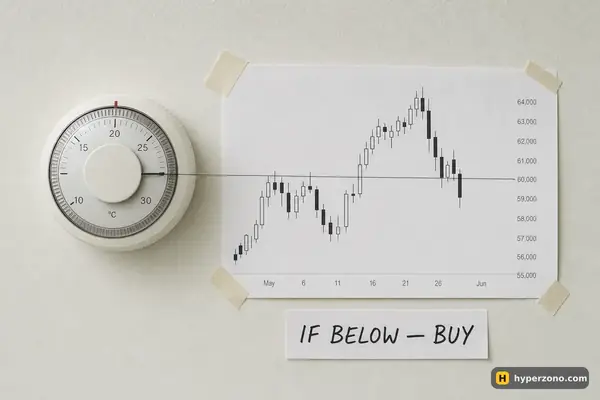
That falling-market case is the one that costs beginners money, so decide what you will do about it in advance. Before you start, set the stop trigger — the bot lets you stop it at a price, at a set loss, or at a percentage. Choose that number while you are calm, and only put in money you can afford to lose. Checking the symbol search is easiest when you are already inside the terminal, so if you do not have an account yet you can open a Binance Futures account and look at the bot panel before funding anything.
Check profit per grid against the fee before you start. Binance warns you when the estimated profit per grid is below your maker fee, because then the closed cycles cannot cover costs. If you see that warning, widen the range or use fewer grids instead of ignoring it.
If the contract is not in the list
Other exchanges run their own futures grid and DCA bots, and the check is identical there: open the bot, search the symbol, and read what the panel says before you fund anything. If the contract you want is missing everywhere you have an account, two honest options are left — trade that contract by hand with your own stop-loss and take-profit, or run the bot on a contract it does support.
Availability of these markets also varies by country and account, so check in the app during sign-up rather than taking any list for granted. Before holding a stock or index contract over a weekend, it is worth reading how these markets behave at night and on weekends, and if you are still deciding what a bot actually does for you, AI assistant, strategy and bot separates the three.
Can I run a grid bot on gold?
Yes, if the gold contract shows up in the bot's symbol search. The grid bot works on USDⓈ-M futures, which is the same section where the gold perpetual sits, but Binance does not publish a list of which of those contracts the bot accepts. So check rather than guess: open Futures Grid, type gold into the search and look at the contract name you get. If it appears, you set it up exactly like a crypto contract.
Does the bot keep trading when the stock market is closed?
Binance's TradFi perpetuals trade 24/7, weekends included, so the contract and the bot keep running. The shares themselves only trade in the New York session, 9:30 to 16:00 New York time, which means the overnight and weekend price is set purely by traders in that contract.
How much money do I need to start a grid on gold?
There is no single fixed minimum. It depends on your grid prices, your leverage and the contract's own minimum order size, and a denser grid needs more. The bot panel shows the exact minimum for the settings you chose and tells you the amount needed if you are short.
Can I change the range after I start?
On USDT-settled contracts you can change the price range and the number of grid levels while the bot runs. The spacing type and the initial investment cannot be changed after creation, so set those with care.
Will the grid profit shown be my actual profit?
No. The number you see is the profit of cycles the bot has already closed. Your real result is that plus the profit or loss on the position it is still holding, plus funding. If price has left your range, the open part can easily be the bigger of the two.
Sources and fact-check
Exchange terms were checked against official documents on October 22, 2026. Terms change — before you trade, check what matters to you in the exchange app and in your contract’s specs.
Binance Support: What Is Futures Grid Trading?