
Contents
What you actually need to have readyWhen the exchange asks for proof of addressHow to photograph your documents so they pass the first timeThe selfie step: what the app is actually checkingWhy KYC gets rejected, and the reasons that come up mostHow long it takes and what to do if you're rejected twice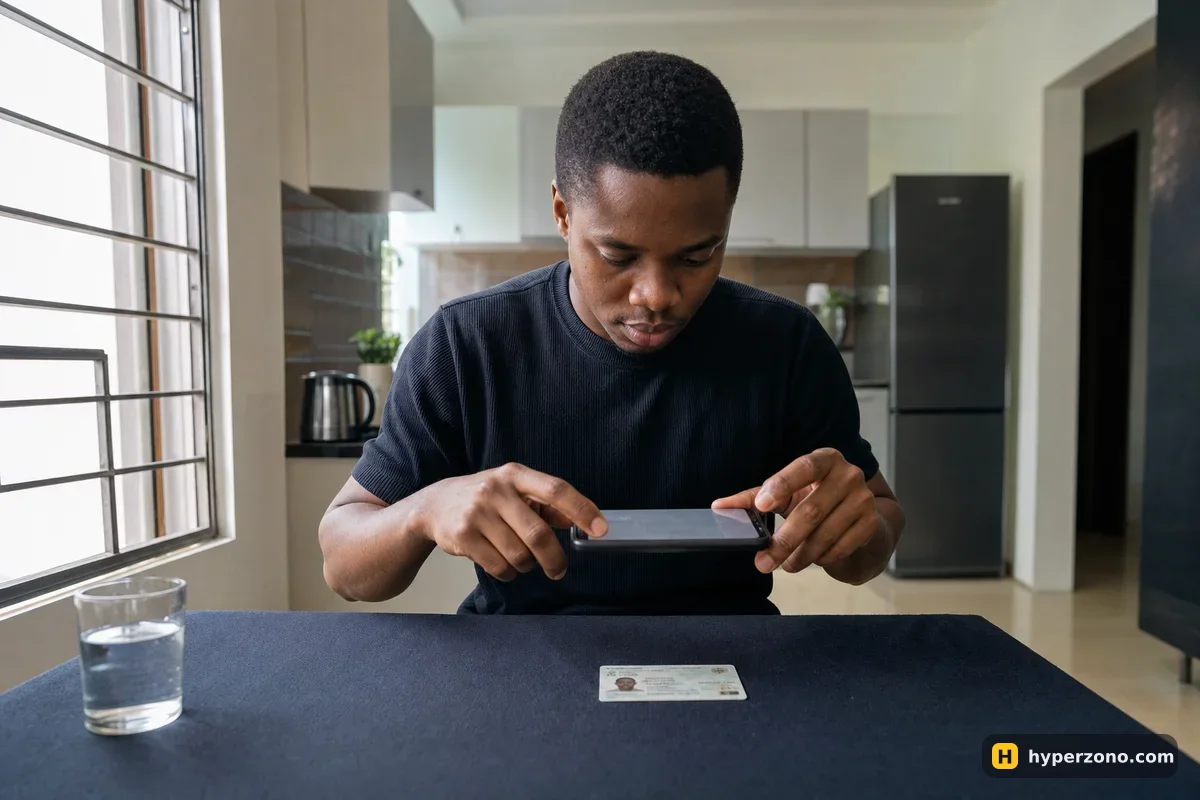
What you actually need to have ready
The exchange is trying to confirm three things: your name, your date of birth and that the face in front of the camera is the face on the document. So you need one valid, unexpired ID with a photo, and five quiet minutes with your phone. Whether verification is required at all, and on which exchanges, is a separate question — there's a short answer on do I need to verify my identity.
Whatever you have in the drawer — a passport, a national ID card, a driver's license — is usually enough. You don't have to guess, though: the app asks for your country of residence first and then shows the exact list of documents it accepts for you. That list, not this page, is the final word — if something you expected isn't in it, pick another document you own instead of trying to force it through. The same document type can be accepted in one country and not in another, which is normal and has nothing to do with you personally.
One thing worth checking before you start: whether the exchange serves your country at all, and whether futures specifically are offered there. A verified account is no help if derivatives aren't available where you live, so have a look at which exchanges are available in my country first. After that, the quickest way to see your own country's document list is to open a Binance account and go as far as the verification screen — it costs nothing to look.
When the exchange asks for proof of address
Many people never see this step. It usually appears when you want higher limits, when your country's rules require it, or when the automatic check couldn't confirm the address you typed in. If it does appear, the app will say which documents it takes and how recent they have to be.
What normally counts is a document issued by an organization, not by you: a bank or card statement, an electricity, water, gas or internet bill, a government or tax letter, or a tenancy agreement. It has to show your full name and the same address you entered in the account, and it has to be recent — old bills get rejected. Download the original PDF your bank or provider issues rather than photographing your phone screen, because a picture of a screen almost never passes.
How to photograph your documents so they pass the first time
Take the real document out
Remove it from the plastic sleeve, wallet or holder. Photos of photocopies, printed scans or another screen are rejected automatically, even when they look perfectly readable to you.
Find flat, even light
Stand near a window, but not in direct sunlight, and turn the flash off. Flash is the single biggest cause of glare across the middle of a card, which hides exactly the part the system wants to read.
Lay it on a plain dark surface
A dark table, a folded cloth, anything without a pattern. Hold the phone parallel to the document so the shape stays rectangular, and keep all four corners clearly inside the frame.
Check the shot before you send it
Zoom in and read the small print, the document number and the expiry date yourself. If you struggle to read it, the system will too. Make sure the date of expiry is still in the future.
Do the back as well if asked
ID cards and driver's licenses usually need both sides. Shoot the back the same way — same surface, same light, no fingers covering any text.
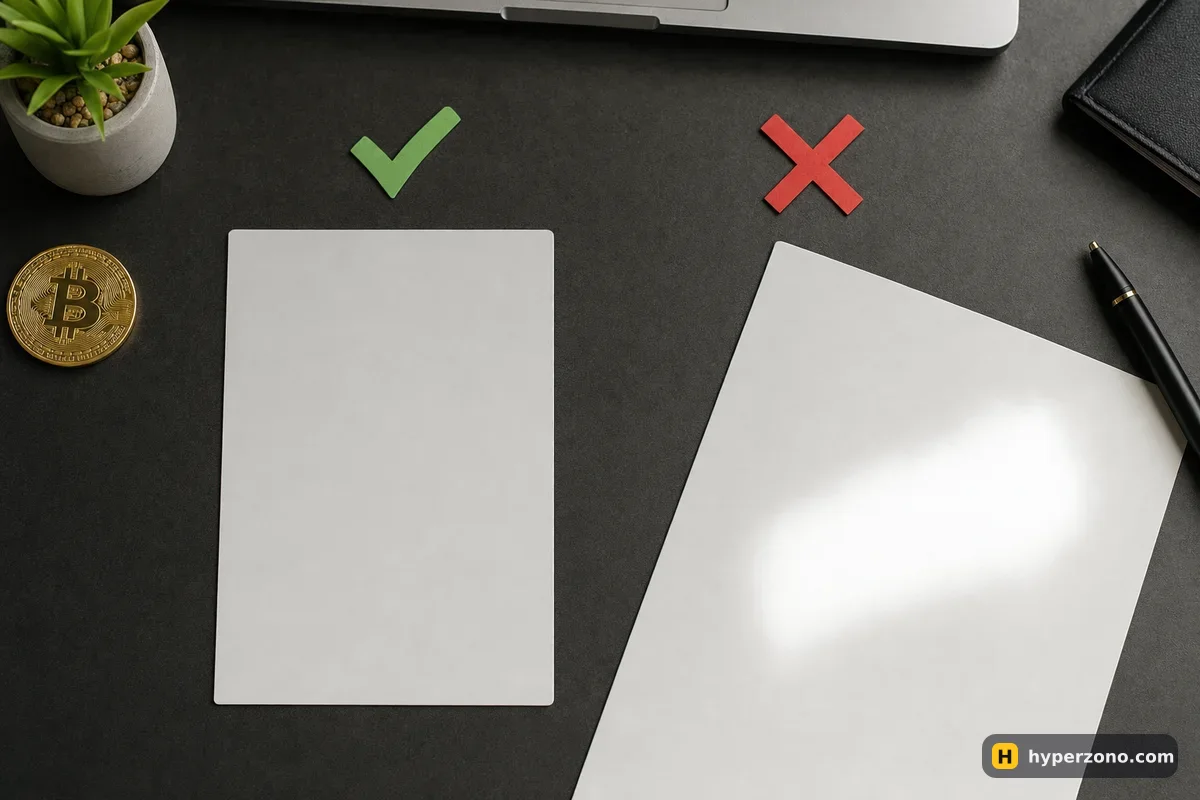
Don't crop, rotate heavily or brighten the picture in a photo editor afterwards. Edited files look suspicious to the checking system, and a straight, honest photo taken in decent light always does better than a repaired bad one.
The selfie step: what the app is actually checking
After the documents, the app asks you to look into the front camera and follow simple instructions: turn your head slowly, blink, or keep your face inside an oval on the screen. This is a liveness check — it confirms there is a real person there right now, not a photo held up to the lens. It takes a few seconds and you only need to sit still and follow what the screen says.
Take off a hat, sunglasses and a face mask, and let the light come from in front of you rather than from a window behind your back. Wipe the front camera, allow the app camera permission, and if the check keeps failing in a mobile browser, do it inside the official exchange app instead. If your document photo shows you with a beard and you have since shaved, don't worry — the system is matching facial structure, not hairstyle.
Why KYC gets rejected, and the reasons that come up most
- The name in your account doesn't match the document exactly — a missing middle name, a swapped first and family name, or an accent dropped from a letter is enough.
- The date of birth was typed in the wrong format, so the day and month ended up reversed.
- The document has expired, or expires within the next few days.
- Glare, blur, a finger over the text, or a corner cut off by the edge of the frame.
- A photocopy, a printed scan or a photo of another screen instead of the original document.
- The document type isn't accepted for the country you selected as your residence.
- The proof of address is too old, or it shows a parent's or landlord's name instead of yours.
- The selfie was too dark, or the person moved before the check finished.
The name mismatch deserves the most attention, because it also causes trouble later. Type your name exactly as it is printed on the document — same spelling, same order, nothing shortened and nothing added. When you eventually withdraw money to a bank card or account, that name usually has to line up too, so getting it right now saves you a frozen withdrawal later.
Your own documents, your own face. Using a relative's ID, borrowing a friend's passport photo or buying a "ready verified" account ends the same way: the exchange asks for a fresh selfie at some point, the faces don't match, and the balance sits there blocked. There is no clever route around this one — and if the exchange doesn't serve your country, the honest answer is to look for one that does.
How long it takes and what to do if you're rejected twice
Most checks are automatic and come back quickly — often within minutes of pressing submit. Some go to a human reviewer, which takes longer, and busy periods make the queue slower. Your account page shows the current status, so watch it there and resist the urge to upload everything again while it still says the review is in progress. Uploading the same documents again doesn't make the check go faster.
If it comes back rejected, open the message and find the exact reason before doing anything else. Fix only that one thing — retake the photo, correct the spelling of your name, use a newer bill — then submit again. If the second attempt fails as well, switch to a different document type: a passport often works when a national ID card doesn't, so it's worth trying if you have one.
If both honest attempts fail, write to support through the chat inside the app, quote the rejection message and ask what exactly went wrong. Do not open a second account with slightly different details: exchanges don't allow one person to run two accounts, and a second one can get you blocked instead of verified — a small delay becomes a real problem. Once the status finally turns to verified, you can move on to the practical part: funding the account for the first time, getting some USDT, and turning on two-factor protection as described in securing your exchange account.
Can I trade crypto futures without KYC?
On the big centralized exchanges you normally have to pass the check before you can open futures trades at all — on Binance, verification is part of switching futures on. Wallet-based venues work differently; the full picture is on our page about whether KYC is mandatory.
How long does KYC take on a crypto exchange?
The automatic check often finishes in a few minutes while you are still holding your phone. If a human has to look at it, it takes longer, and there is no fixed time you can count on. Watch the status in your account rather than resubmitting.
Why was my KYC rejected?
Most rejections come down to one of two things: the photo or the name. Glare, blur and a cut-off corner spoil the picture; a spelling in your profile that doesn't match the document spoils the data. The rejection message names the reason — fix that single thing and send it again.
Do I need proof of address to trade futures?
Often not at the start. It gets asked for when you raise your limits, or when the rules in your country require it. A recent bank statement or utility bill in your own name is the usual answer.
Can I use a driver's license instead of a passport?
In many countries yes, and for some people it's the easiest option because they carry it anyway. The document list the app shows after you pick your country tells you what is accepted where you live. If both are offered and the license keeps failing, try the passport instead.
Is it safe to upload my passport to an exchange?
Exchanges are required to collect this data, and the large ones have handled it for years, but nothing you send over the internet is ever completely without risk. Upload only inside the official app or the real website — never through a link someone sent you — and switch on two-factor authentication before you start, as explained in securing your account.