Contents
What "the same place" actually means hereWhat you actually get in the Perpetuals tabWhat you get if you open Aster's own appWhat one small gold trade looks likeFour lines worth comparing side by sideTrust the screen you are actually trading fromHow to pick a route for one specific taskWhat "the same place" actually means here
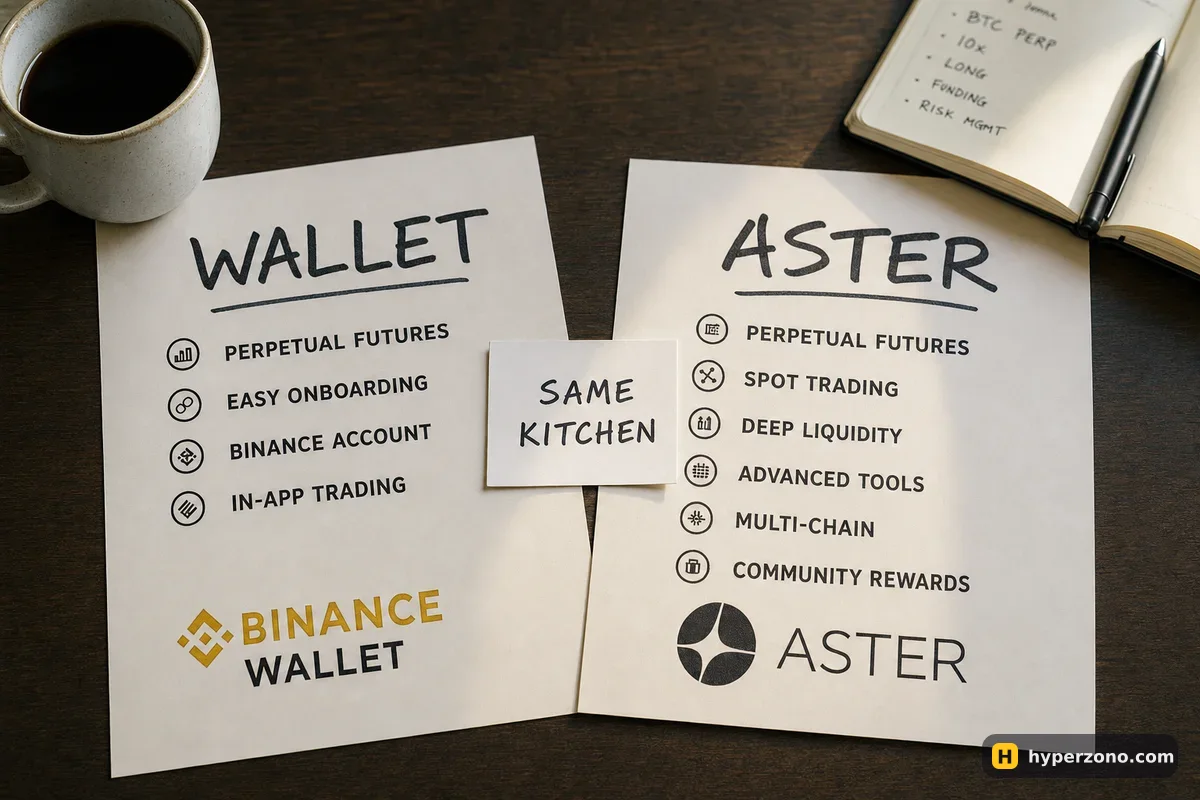
When people say the two routes are the same, they mean your order ends up in the same shared list of buy and sell offers — the order book that both screens feed into. That part is true for the Perpetuals tab in Binance Wallet: the screen says "Provided by Aster" and the order book is shared with Aster.
What the order book does not decide is what you see on your screen. The app you open sets which pairs are listed, what you pay to enter and exit, which coin your money has to be in, how much leverage a pair allows and whether people in your country are allowed to use it at all. Two apps can share a market and still be two separate products with two separate sets of terms.
What you actually get in the Perpetuals tab
Inside the Binance app and on web3.binance.com there is a Perpetuals tab in Binance Wallet. You trade from your own keyless wallet, and the network behind it is BNB Smart Chain. The mechanics of that route are covered in how perpetuals work in Binance Wallet. Here is what that tab lists today.
On 21 October 2026 it showed 602 pairs — 463 crypto, 111 stocks, 7 ETFs, 13 commodities and 8 pre-launch pairs — and it trades around the clock, weekends included. Some pairs take USDT as your money, others take USD1, which is another dollar token; which one a pair needs is written on its page, and your balance has to be in the right one. The full current list is in the live table of wallet markets.
Costs in the tab are published: maker 0% and taker 0.04% on crypto, taker 0.0125% on stocks and commodities, with funding charged every 8, 4 or 1 hour depending on the contract. Maximum leverage sits on each pair as a badge — stocks and commodities in USD1 up to 20x, many USDT pairs up to 50x, WTI oil and silver up to 100x, pre-launch pairs 5–20x.
Two details belong to this route rather than to the market behind it. You need a verified Binance account to create the wallet, and the wallet must be backed up before perpetual contracts work at all — a keyless wallet has no 12-word seed phrase, so the backup is Quick Backup, a cloud copy with a recovery password, or a QR code. And when a trade itself goes wrong, Binance points you at Aster's support, because Binance is not the counterparty.
What you get if you open Aster's own app
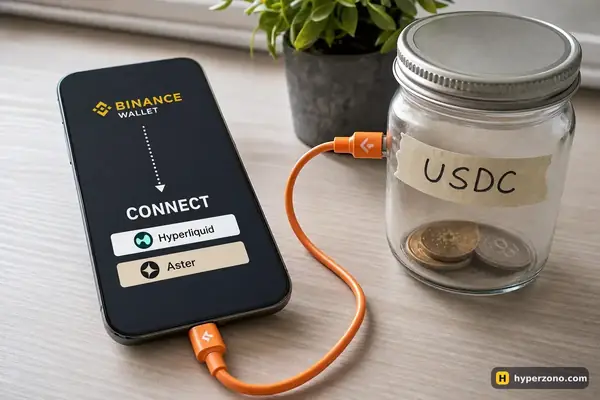
Aster also exists as its own venue. You can reach it from the wallet's Discover → DApps screen, where it sits in the Trending DApps list described as a perp DEX, or by typing its address into the dApp browser. That is a different route: you connect your wallet to an outside app, approve it yourself, and read that app's own screens.
What the standalone app charges and which markets it lists is set by that app, not by Binance. Aster's own site has a fees page — find the line for your type of pair and write the number down next to the wallet's 0.0125%, then do the same with its market list. If someone tells you "it's identical, same protocol", they are guessing. It is the same habit as learning to read a contract specification on any exchange: find the line, read the number, then decide.
What one small gold trade looks like
Say you want to try gold. In the wallet tab gold trades as XAUUSD1, so your money has to be sitting there as USD1, not USDT. You set aside 30 USD1 as margin and pick 10x, so your position is 300 USD1. The fee on a commodity pair is 0.0125% of 300 — about 0.04 USD1, roughly four cents to get in and the same to get out. Then add funding for every hour or every eight hours you keep the position open, which is the cost that grows if you hold overnight or over a weekend.
That is the whole comparison in miniature. On any other route you look up those same two lines yourself — the fee for your type of pair and the funding interval — and if they are not published somewhere you can read them, that is your answer.
Four lines worth comparing side by side
| What to check | Binance Wallet Perpetuals tab | Aster's own app |
|---|---|---|
| Which pairs are listed | 602 pairs on 21.10.2026: crypto, stocks, ETFs, commodities, pre-launch | Its own market list — search it there for your exact pair |
| Fee for your pair type | Maker 0%, taker 0.04% on crypto; taker 0.0125% on stocks and commodities | Its own fees page — read the line for your pair type |
| How you get in | A verified Binance account, wallet created and backed up in the app | You connect your wallet to the app and approve it yourself |
| Who is allowed to use it | Your Binance account terms plus Aster's terms | Its own terms page, confirmed in the app itself |
Country rules sit on top of all of this. Aster's terms, dated 25.02.2026, exclude residents of, and people located in, Russia, Ukraine, the USA, Canada, the United Kingdom, China, North Korea, Cuba, Iran, Venezuela and Syria. Confirm the current rules in the app you plan to use — never rely on a summary, including this one. The same asset can also carry different collateral and limits on different venues.
Trust the screen you are actually trading from
Don't assume the two screens show you the same thing. Before you place an order anywhere, look at the balance and the open positions on that exact screen — if you see nothing there, deposit or check first, rather than clicking and finding out afterwards. People get caught by opening a second position when they thought they were managing the first one.
If you plan to use one wallet in more than one perp app, it is worth settling early where your positions show up and how each app's approvals work. A minute of reading beats a surprise on a live trade.
Check the balance before the chart. Whenever you switch apps, look first at which coin this screen wants your money in, and how much of it is actually sitting there. If a pair needs USD1 and your money is in USDT, nothing you plan on the chart will fill the way you imagined.
How to pick a route for one specific task
Don't choose in the abstract. Write down one task — the gold trade above, or "I want this particular stock pair with low leverage" — and then test each route against it in this order.
Find the exact pair
Search the market list on the route you are considering. If the pair is not there, the comparison stops — no fee table matters for a market you cannot open.
Read the cost line for that type of pair
Coins and pairs on stocks, gold or oil often carry different fees. You saw the two wallet figures above; on another route, find the equivalent line in its own fee page and read it for your pair.
Check the coin, the network and the funding interval
Which coin you need, which chain it has to arrive on, and whether funding is charged every hour or every eight hours. Those three decide what a small position really costs you to hold.
Check whether the route is open to you at all
Read the terms of the app you plan to use, and confirm in the app itself that people in your country can trade there.
Start with an amount you can afford to lose
Open one small position, set a stop, close it, and look at the numbers afterwards. That single round trip tells you more about a route than any comparison page.
If the wallet route matches your task, you can open Binance Wallet and look at the Perpetuals tab with the market list in front of you. Hyperliquid comes up in the same conversations, but it is a separate venue with its own wallet connection and its own rules — if you are curious, start from how Hyperliquid works. And if you are still deciding between any of this and a normal exchange account, read which exchange suits a beginner.
Is Aster inside Binance Wallet the same as trading on Aster directly?
Your order meets the same crowd of buyers and sellers either way, but the two routes are separate products. The Perpetuals tab has its own pair list, its own published fees, its own network and its own entry requirements. What the standalone app offers is set by that app, so read its pages rather than assuming anything carries over.
Will my balance show up in both places?
Don't take it for granted. Each route has its own deposit path, its own approvals and its own view of your positions. The safe habit is simple: whatever screen you are about to trade on, look at the balance and the open positions shown on that screen first.
Which route has lower fees?
The wallet tab publishes its figures and you can read them on the pair page: maker 0% and taker 0.04% on crypto, taker 0.0125% on stocks and commodities. For the standalone app, open its own fee page and read the line for your pair type, then add the funding interval. On a position you hold for days, holding costs can matter more than the entry fee.
Who do I contact if a trade goes wrong in the Perpetuals tab?
Binance sends trade questions to Aster support, because Binance is not the counterparty to those contracts. Find the support path on whichever route you choose before you need it, not during a loss.
Do I need a seed phrase for Binance Wallet?
No, it is a keyless wallet with no 12-word phrase. You back it up with Quick Backup, a cloud copy protected by a recovery password, or a QR code, and perpetual contracts stay unavailable until a backup exists. If you lose the recovery password and the device, Binance cannot restore the wallet for you.
Can I open other perp venues from Binance Wallet?
The wallet has a dApp browser, so you can open apps from the Trending DApps list or by typing an address. That is always a separate route with its own approvals, its own balance and its own terms — never an extension of the Perpetuals tab.